
Techmap
System of consumables management acceleration
The techmap does not prevent you from modifying the list of consumable materials within each individual appointment. It is expected that the techmap specifies products included in the service cost.
If you need to add paid products, use the Orders tab, where products are selected using the product sales price list. Procedure for creating techmaps and connecting them to services:
1 Preparation
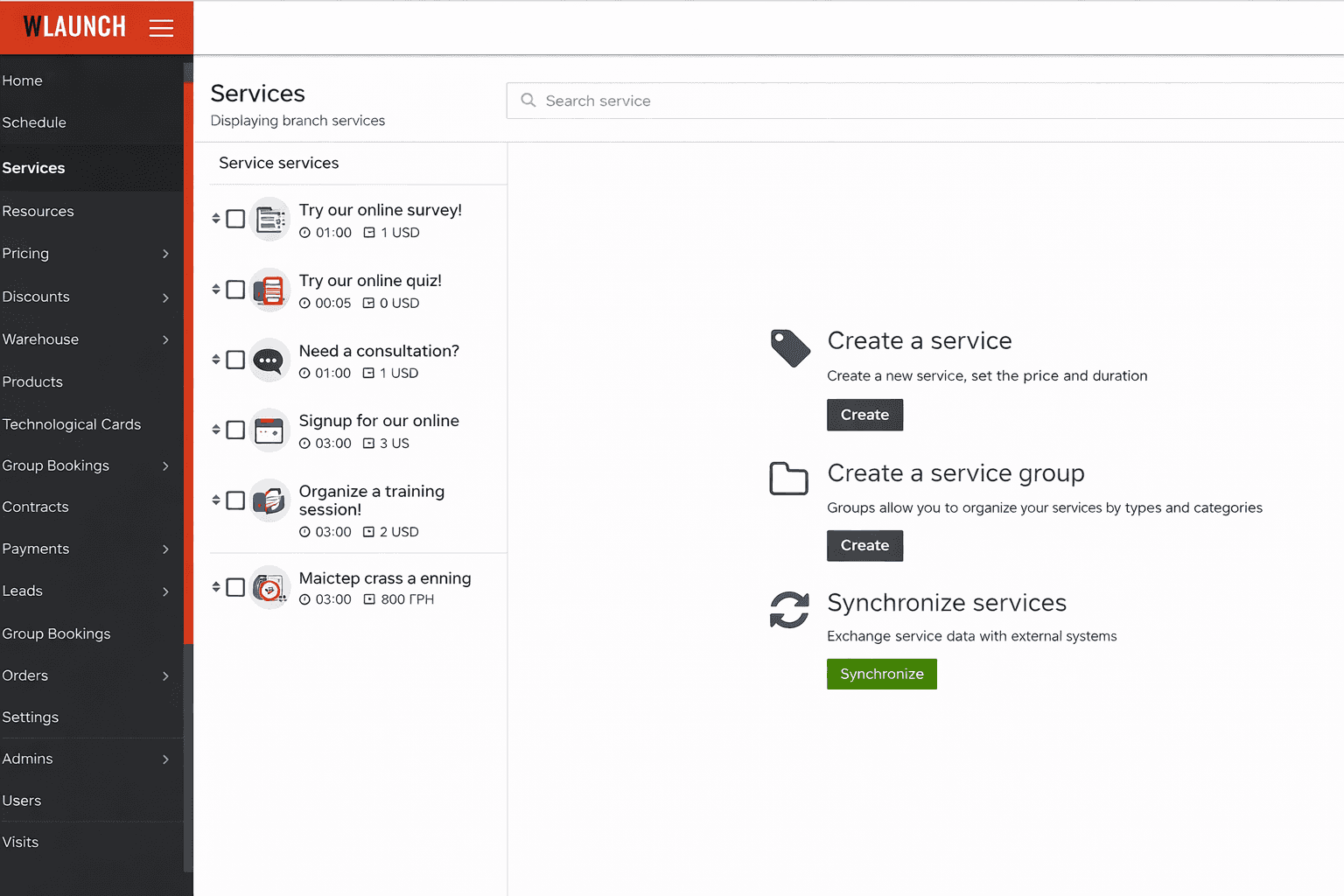
- Services created
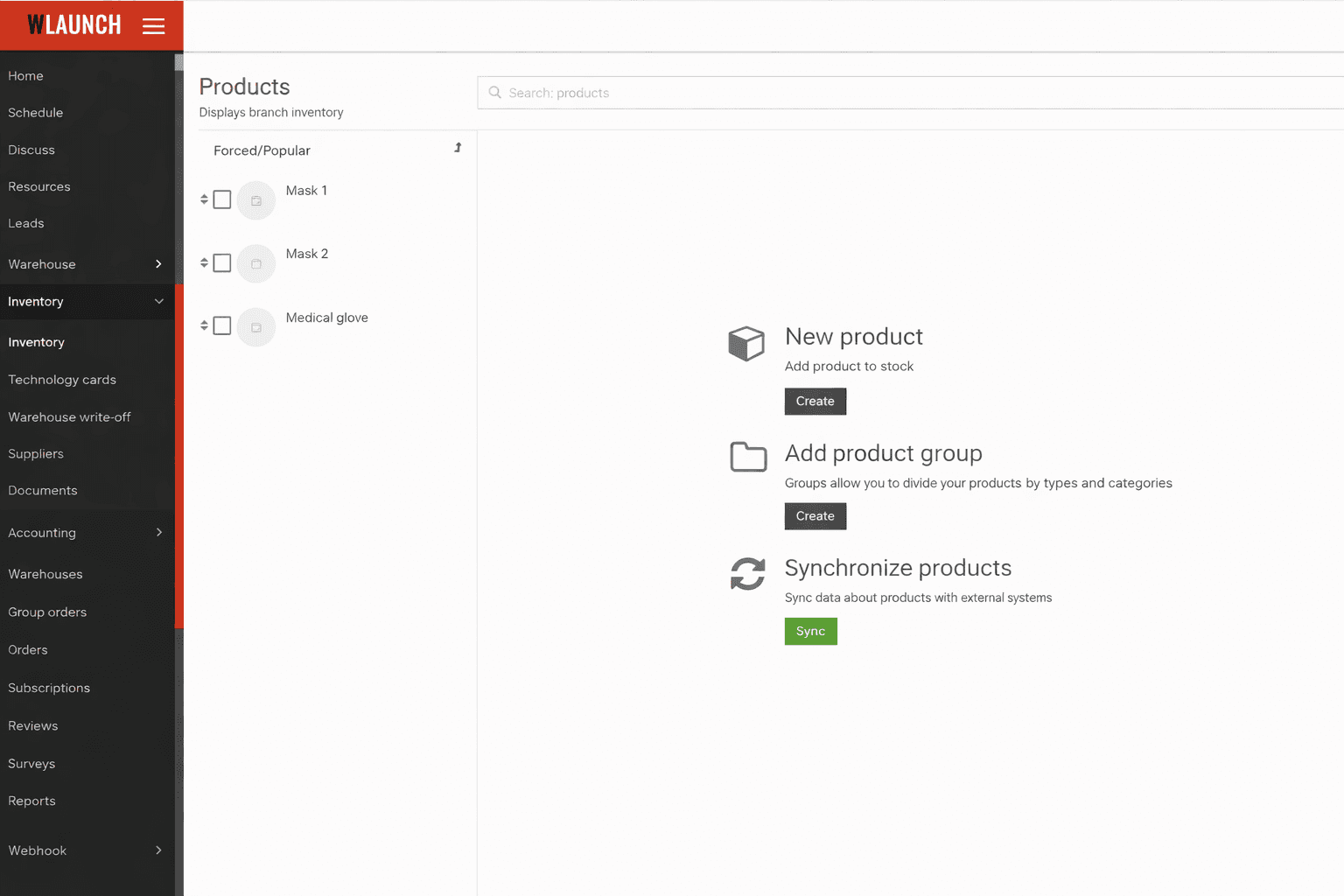
- Products created
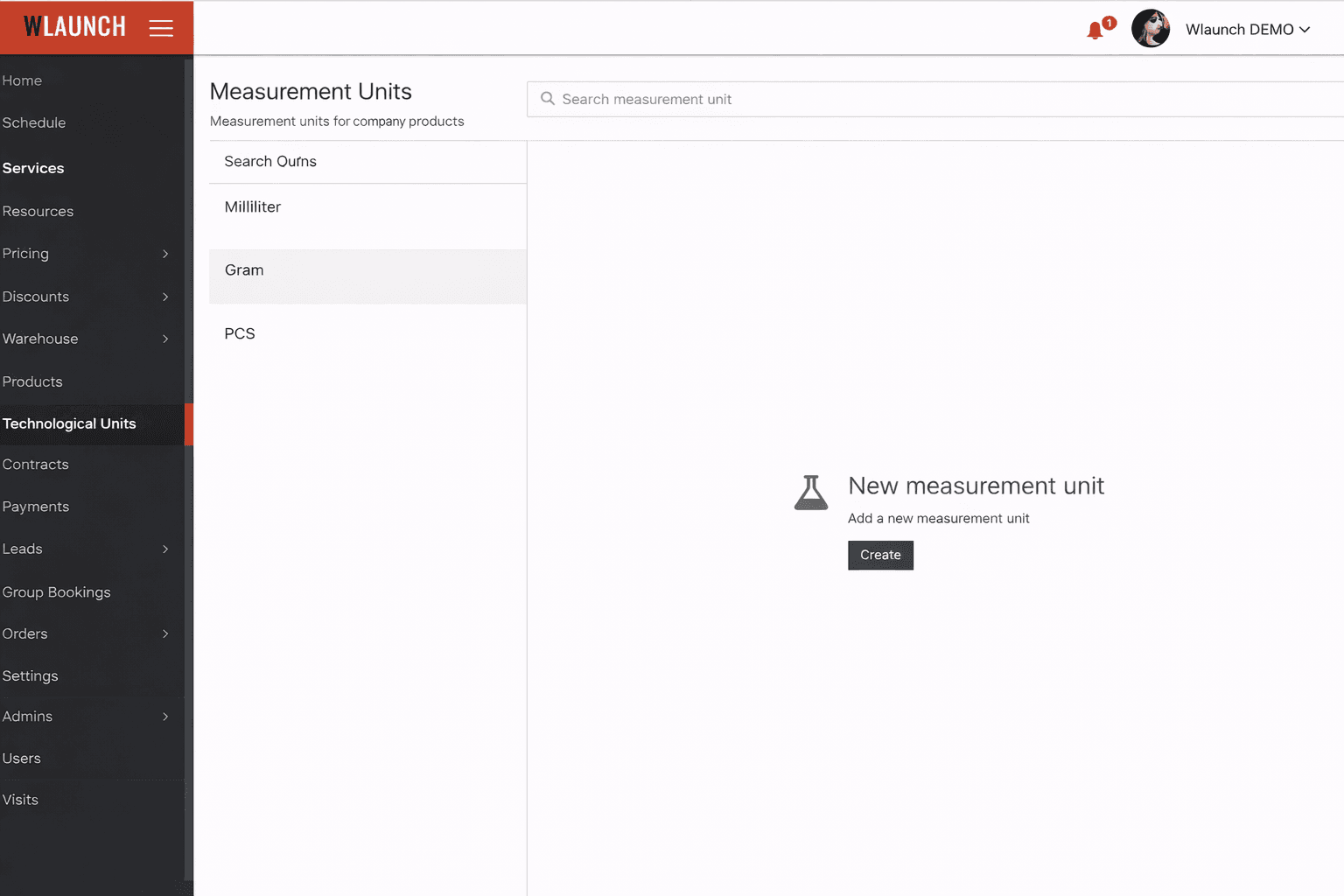
- Required units of measurement are present in the company
2 Creating a techmap
- Create a new one
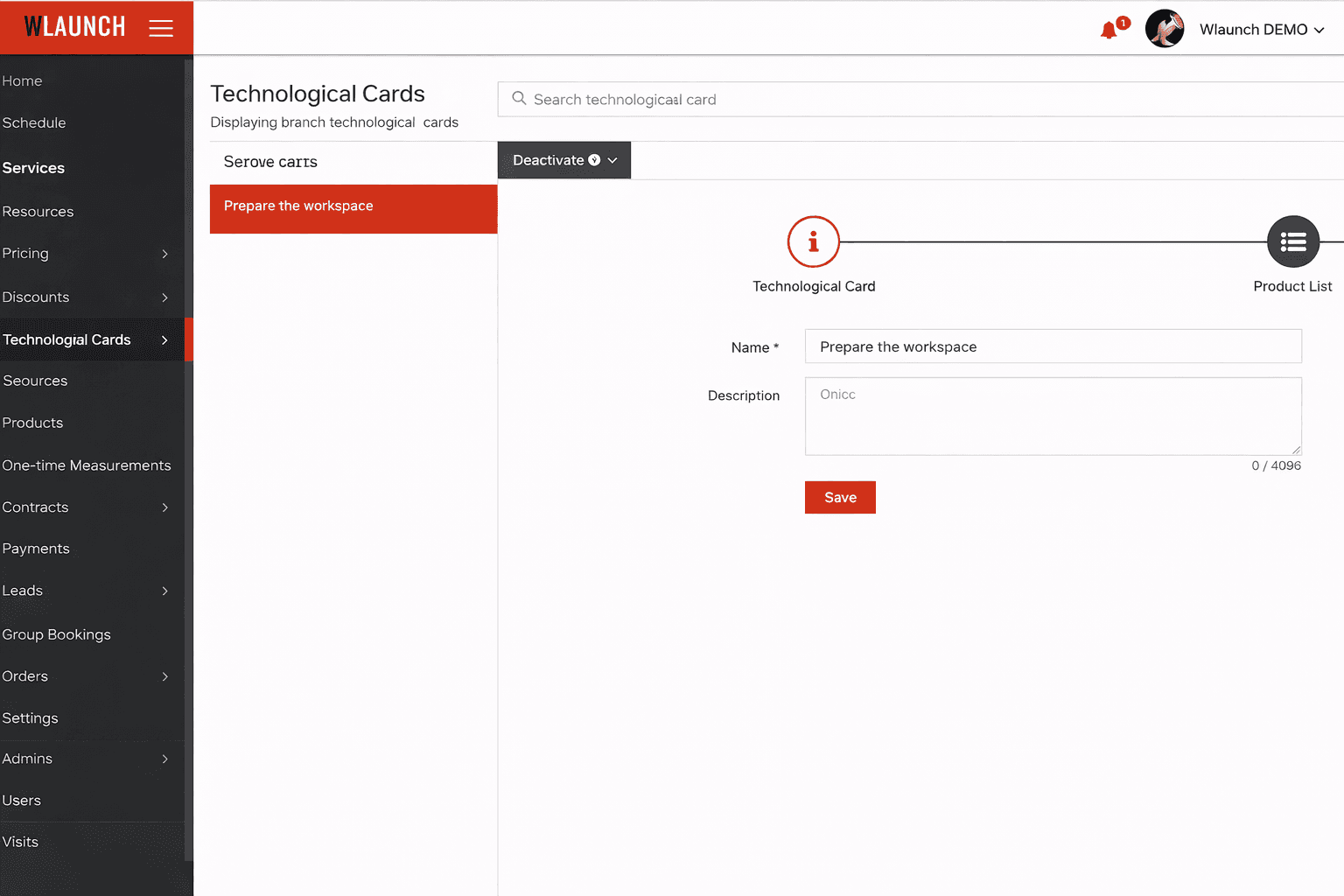
- Choose the Techmap type: For services or For products. The type cannot be changed once the techmap is linked
- Describe the list of typical products consumed during the selected process
- A single techmap can include multiple products - the key is to specify the typical quantity
- Add items using the button in the top right corner
- Save using the red floppy disk icon on the product row
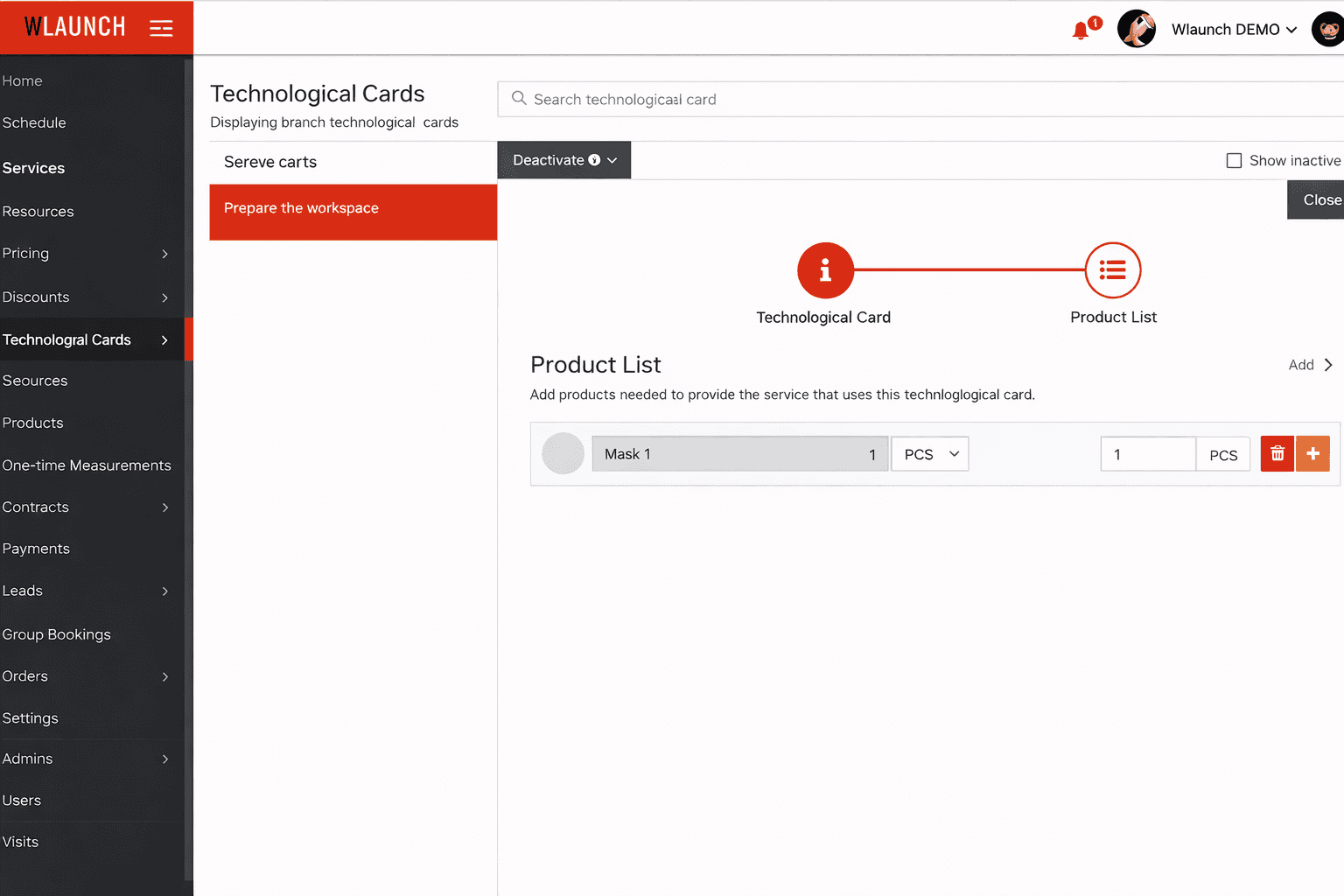
3 Linking a techmap to a service
- Go to the service list
- Select or find the service
- In the Techmaps tab, mark the processes that apply
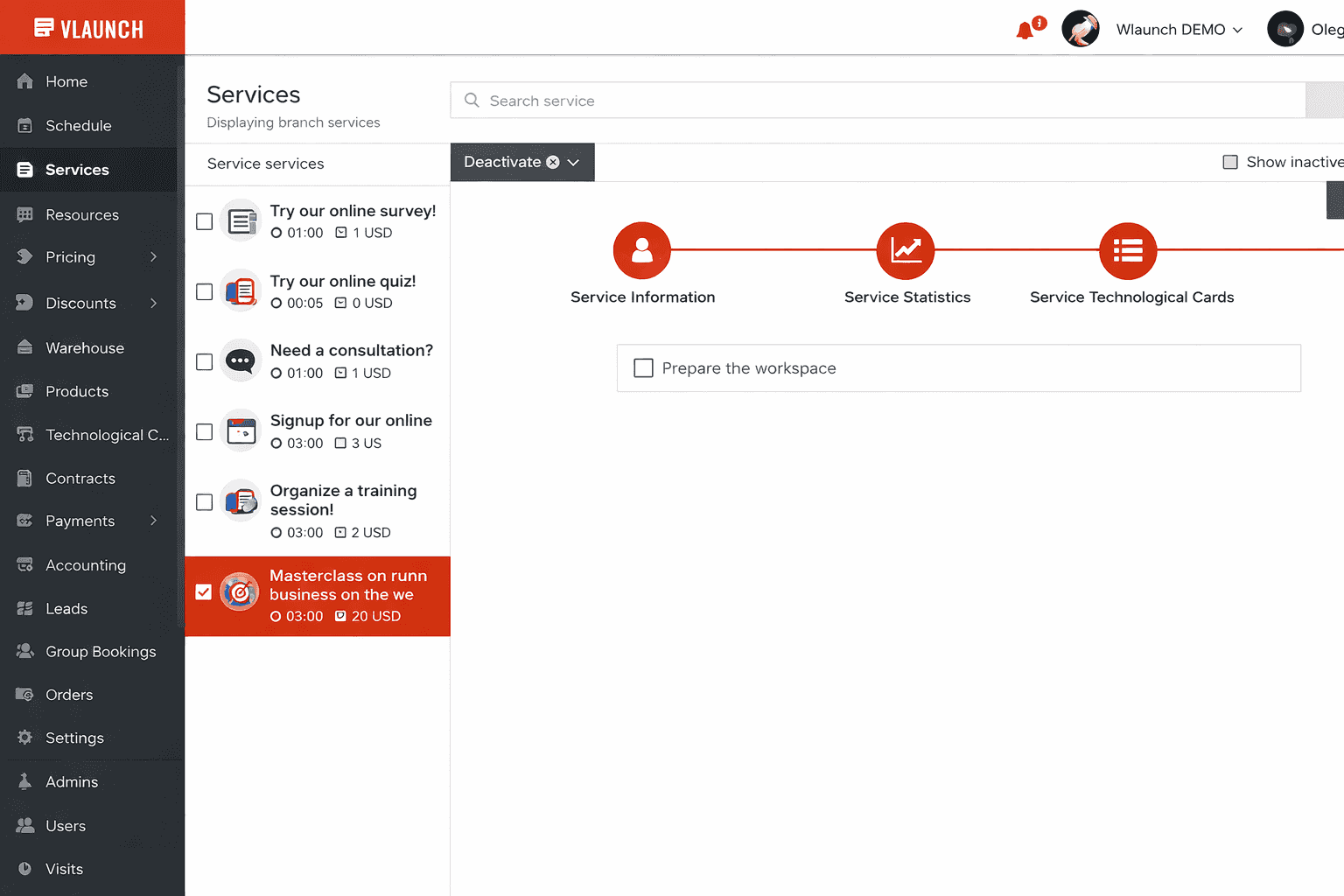
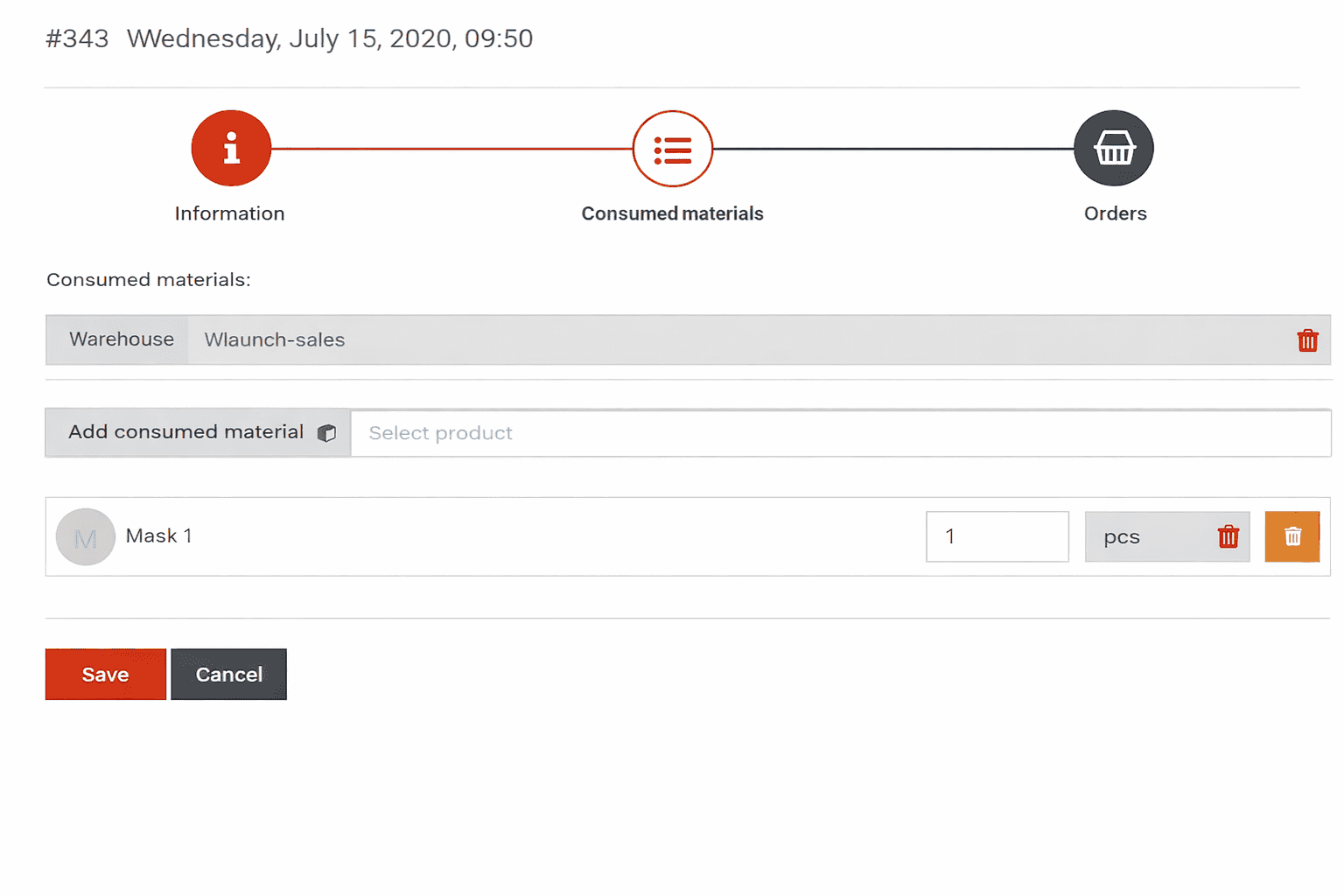
4 Verify the result
- On the schedule, select the specialist who provides the service from step 2
- Create and save an appointment with this service
- After saving, review the Consumable materials tab
- Adjustments to materials can also be made in this section if needed
Techmaps for products
Steps 1-4 cover a techmap for a service. A techmap can be attached to a product as well as to a service. Selling the product then writes off whatever it is made of, so there is nothing to count by hand.
- Create a techmap of the For products type and add the products and their typical quantities, as in step 2
- Open the product under Storage -> Products and tick the techmaps you need on its Techmaps tab
If the product itself is stock-tracked, selling it writes off that product rather than its techmap. For the recipe to be written off instead, create the product without stock tracking: that checkbox cannot be changed after the product is created.