
Accrual rules - Salary
Types and options in salary accrual rules
Accrual rules define how each part of the salary is calculated. Each rule is responsible for a separate type of income or adjustment and can be used in accrual schemes.
Purpose of accrual rules
Rules are used for:
- calculating base and additional compensation;
- building flexible compensation models;
- automating accruals without manual calculations.
One rule -- one type of accrual.
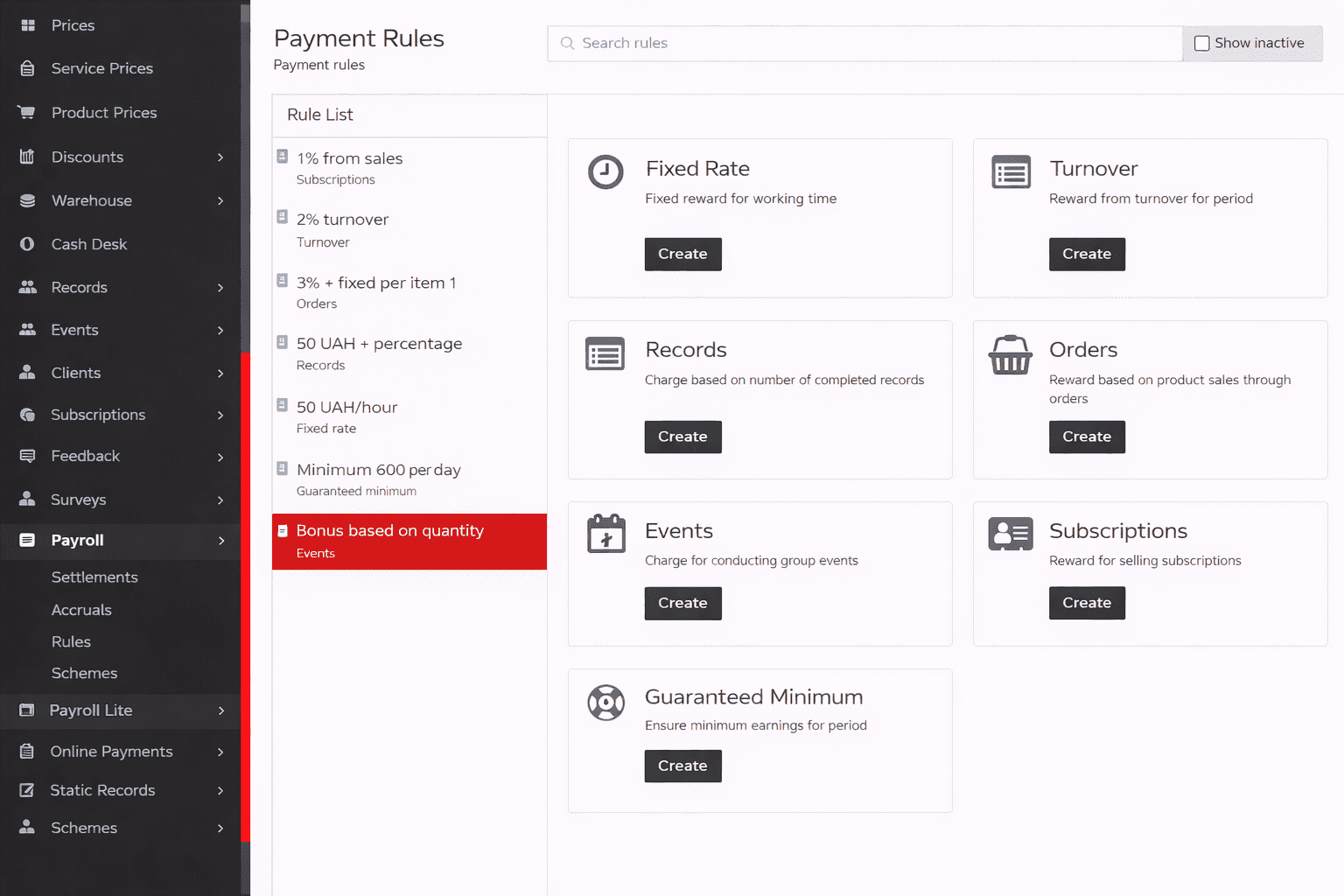
Accrual rule types
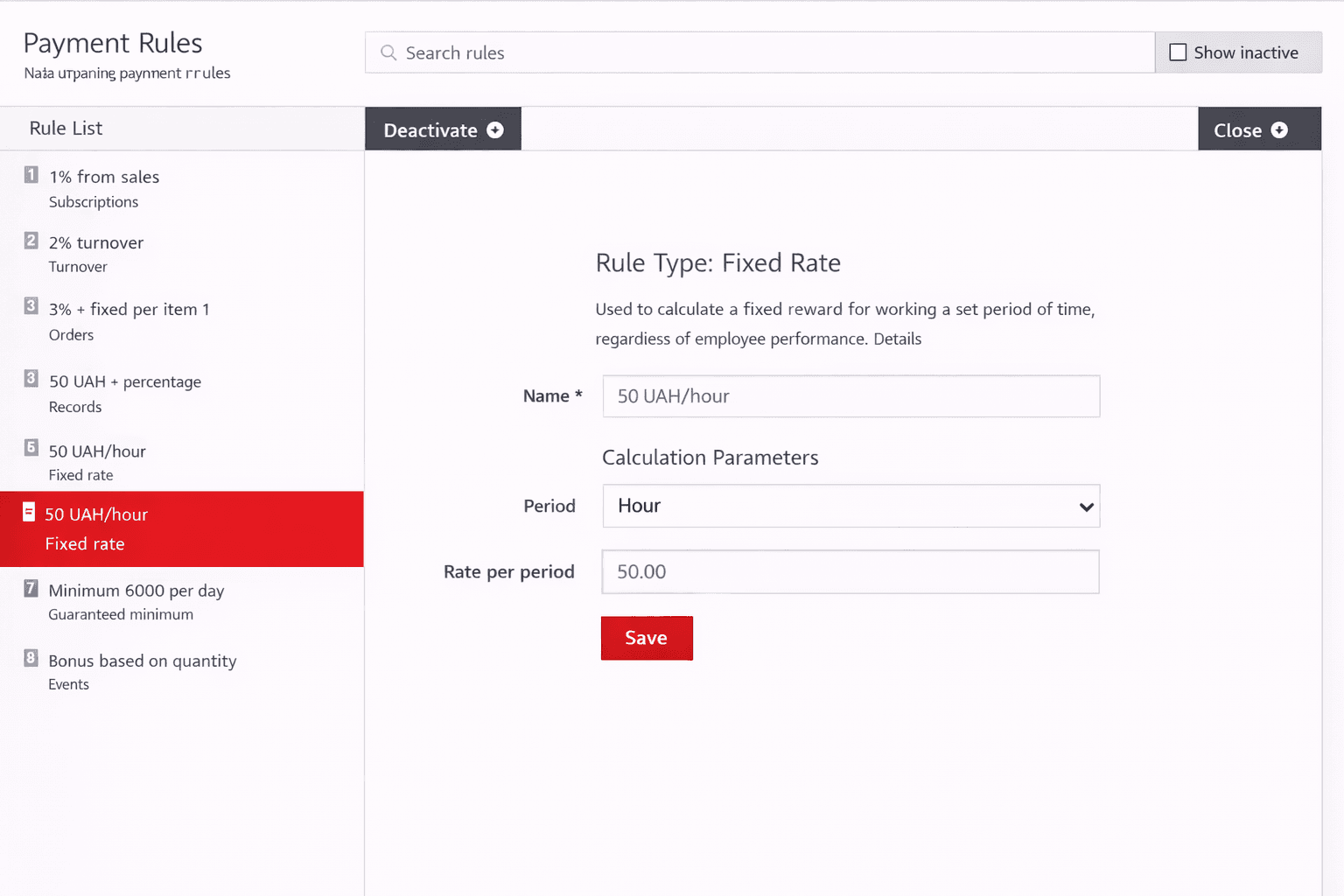
Fixed rate
Used for accruing fixed compensation for a specific time period regardless of performance results.
Main parameters:
- accrual period (hour, day, month);
- rate per period.
A typical example is hourly or daily pay.
Validation for Month period
Rules with a Month period have strict requirements for the accrual period. If these requirements are not met, the rule will be skipped and will not participate in the salary accrual.
For the rule to work correctly, both conditions must be met:
- The accrual period must start on the 1st day of the month.
- The accrual period must contain at least one full calendar month -- from the 1st to the last day of the corresponding month.
If at least one requirement is not met:
- the rule with a Month period is not applied and no accrual is made for this rule;
- other rules in the scheme continue to work without changes.
This validation ensures correct and predictable calculation of monthly accruals.
Appointments
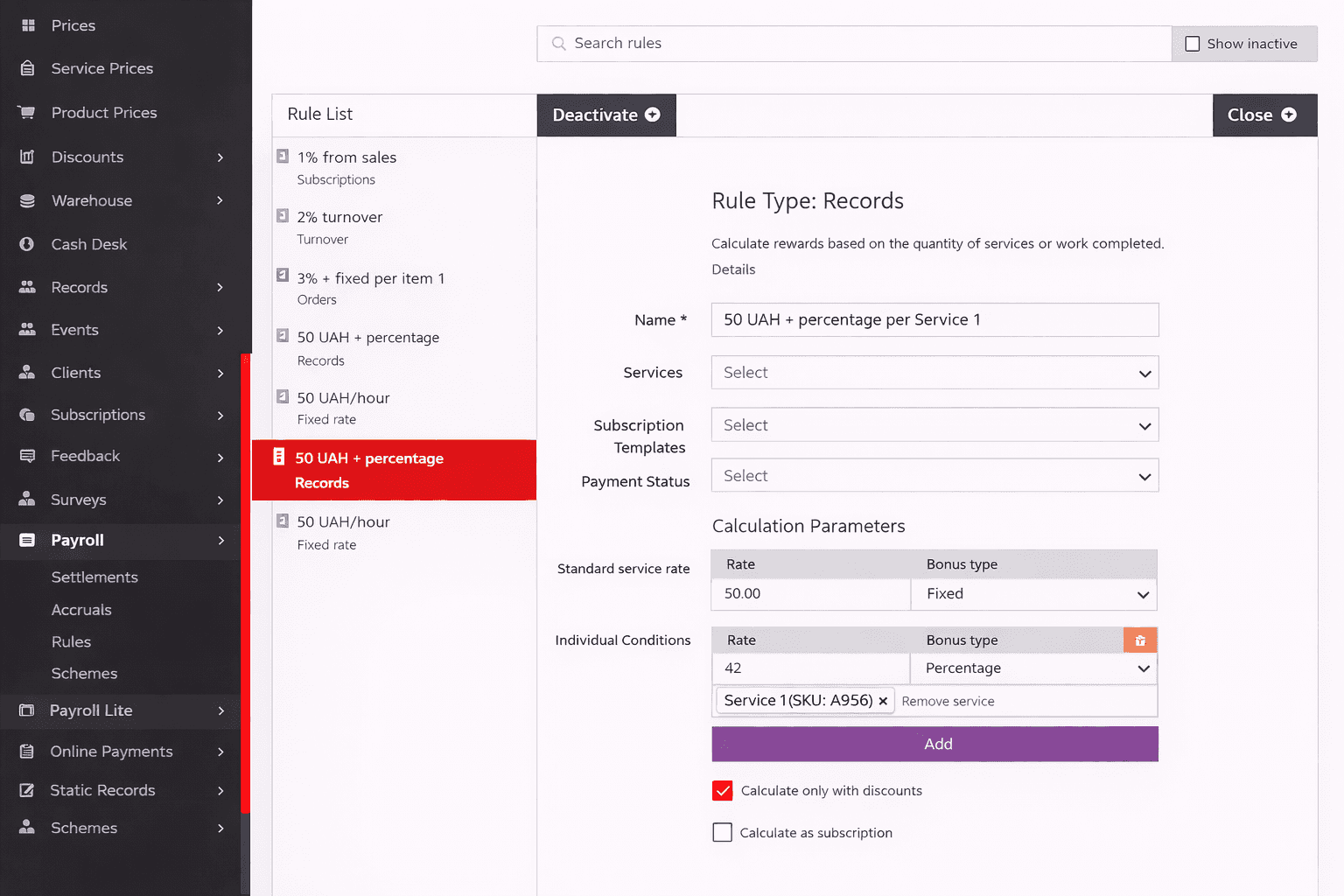
Used for accruing compensation for services provided.
Rule capabilities:
- fixed amount per service;
- percentage of the service cost;
- individual rates for specific services that will be used instead of the standard rate;
- apply only to the markup;
- include or exclude discounts;
- include membership payments.
Suitable for specialists who work with client appointments.
Discount compensation
By default, a discount given to a client reduces the amount used to calculate the employee's compensation.
The actual service cost after the discount is applied is used in calculations.
Example:
- service cost -- 500 UAH;
- after discount -- 400 UAH.
For salary calculation, the amount of 400 UAH is used, not the original service price.
The system allows you to configure discount compensation for the employee.
You can choose which specific discounts are taken into account. With a standard rate of, for example, 40% of the service cost, the following approaches are available:
- 100% rate -- the employee receives compensation equal to 100% of the client's discount;
- 40% rate -- the discount is compensated at the same percentage as the regular service price, i.e. 40%.
This allows you to flexibly manage employee motivation and the impact of discounts on their income.
Charge only from the markup
The system allows you to exclude the cost of goods used as consumable materials during service delivery from the salary calculation.
When calculating compensation, the full service cost is not used; instead, the amount minus the cost of consumable materials is taken.
Example:
- service cost -- 500 UAH;
- consumable materials cost -- 200 UAH.
The amount used for salary calculation: 500 - 200 = 300 UAH.
This approach allows you to:
- correctly account for the actual income from the service;
- avoid accruing compensation on the cost portion;
- ensure fair salary calculation.
Include membership price
The system allows you to correctly calculate salary for services paid through memberships, even if the actual appointment price is zero. For this purpose, the calculated effective service cost is used, which is determined based on the membership price and the principle of its usage. This cost is applied during the employee's salary calculation.
For visit-based memberships, the effective cost is determined as the average price per visit -- the membership price divided by the initial number of visits.
Example:
- a membership for 10 visits costs 2,000 UAH.
- for each appointment, the value of 200 UAH is used in calculations.
For credit-based or deposit-based memberships, the cost per credit is first determined, then multiplied by the number of credits debited for the appointment.
Example:
- a membership for 5,000 credits costs 4,000 UAH.
- the cost per credit is 0.8 UAH. If 500 credits are debited for an appointment, the effective service cost is 400 UAH.
For time-based memberships, the cost per unit of time is calculated, then multiplied by the actual duration of the appointment.
Example:
- a membership for 10 hours costs 3,600 UAH.
- the cost per hour is 360 UAH. If the appointment lasted 1 hour, the effective cost is 360 UAH.
For unlimited period memberships, the effective cost is not calculated since usage has no limits. In this case, the system uses the actual appointment price.
Orders
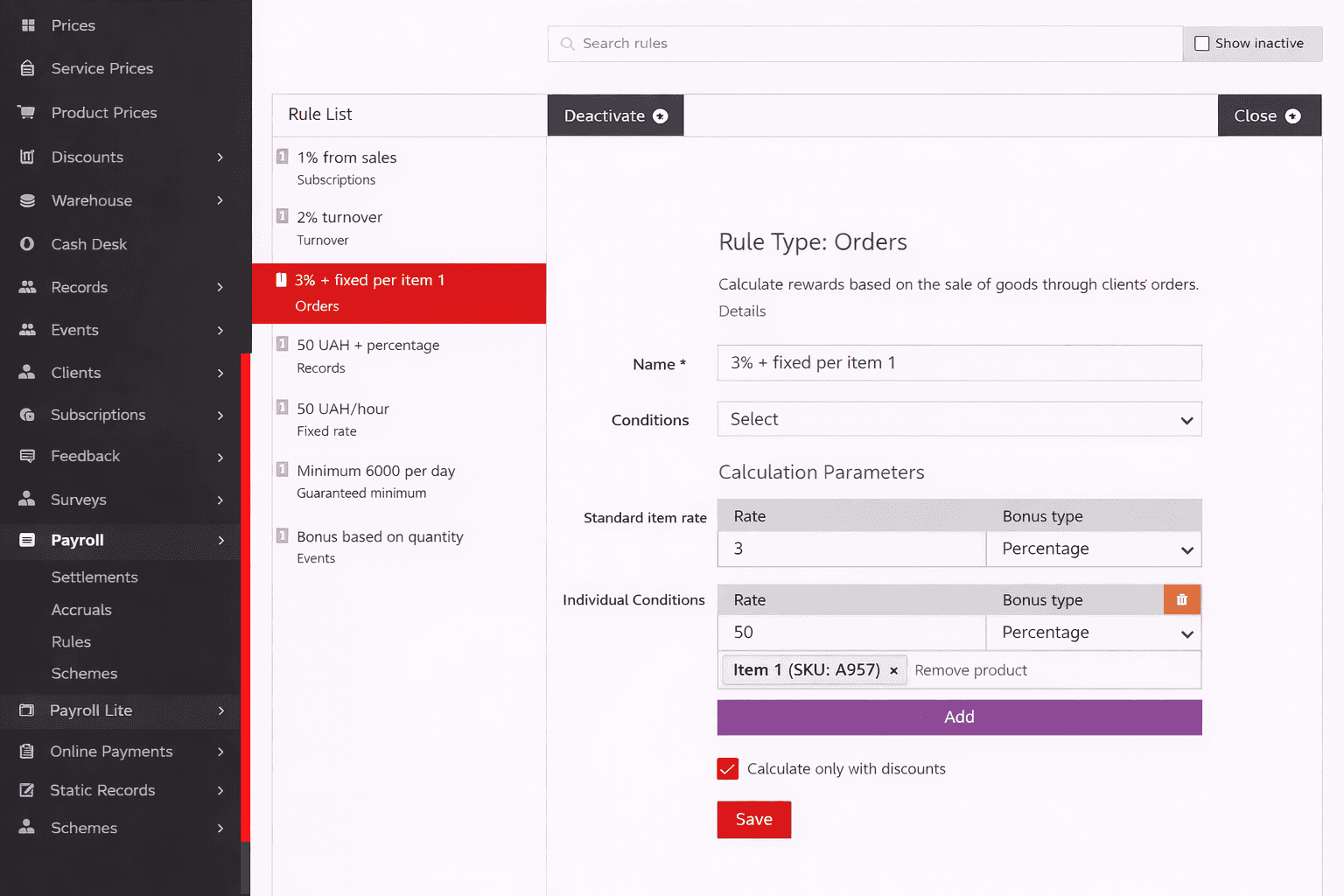
Used for accruing compensation from product sales.
Rule capabilities:
- percentage of the sale amount;
- fixed amount per product unit;
- individual conditions for specific products that will be used instead of the standard rate;
- calculate only from markup;
- count only orders with the selected payment statuses (the "Payment statuses" filter).
In the "Payment statuses" filter you can select Unpaid, Underpayment, Paid or Overpayment. It works together with the "Statuses" filter: an order has to match both. An empty filter means the payment status is not checked.
Suitable for salespeople or specialists who sell products.
Let us consider salary calculation for a sales manager.
For example, a manager sold a product. Product sale price: 1,000 UAH. Product cost: 700 UAH. Manager's commission: 20%.
Scenario 1: "Charge only from the markup" is not used
Base for commission calculation: 1,000 UAH (full sale price). Manager's salary: 1,000 UAH * 20% = 200 UAH.
Scenario 2: "Charge only from the markup" is used
Commission base calculation: 1,000 UAH (price) - 700 UAH (cost) = 300 UAH. Manager's salary: 300 UAH * 20% = 60 UAH.
Turnover
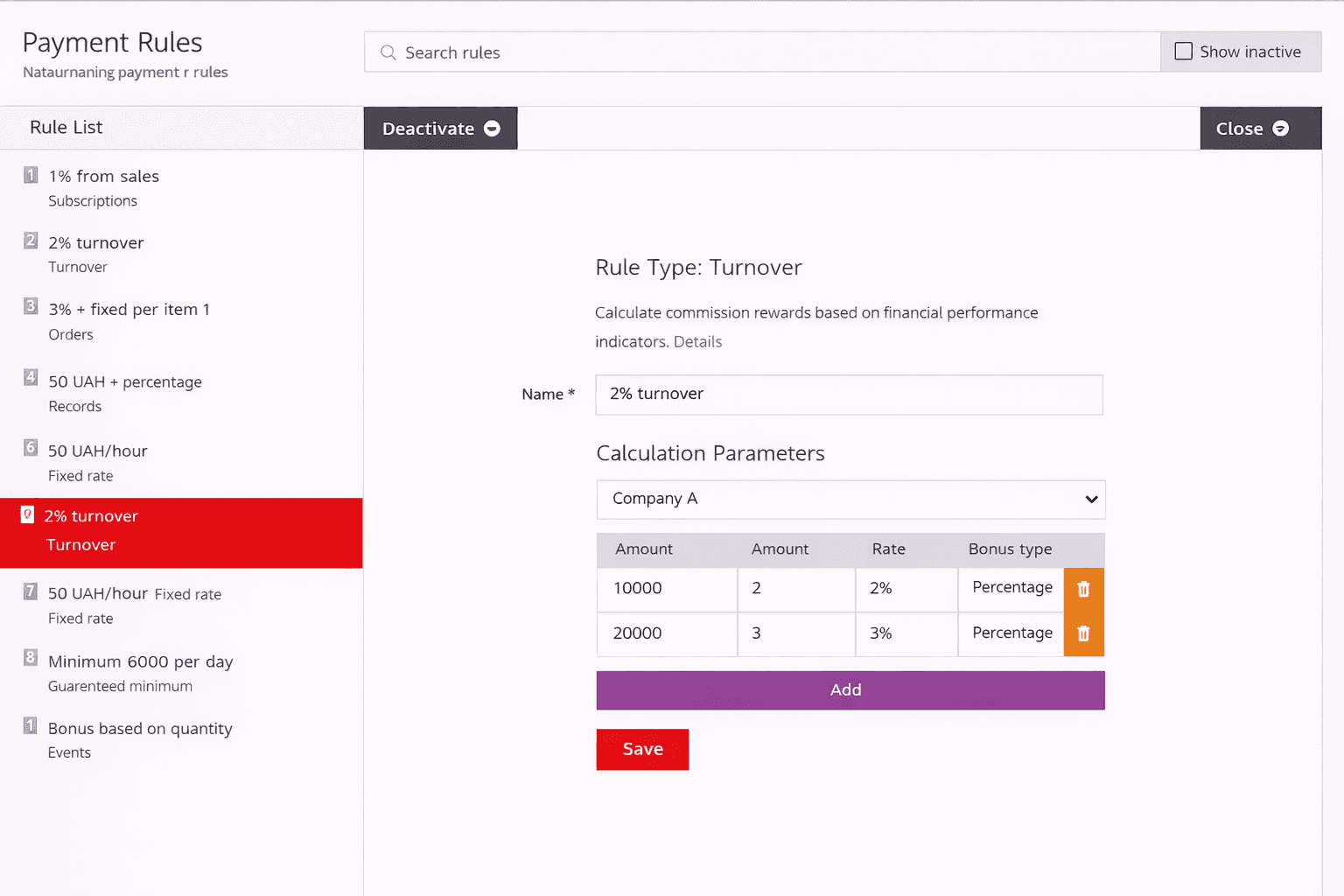
Used for accruing compensation based on financial performance.
Main capabilities:
- accrual based on company or specialist turnover;
- configuring accrual thresholds;
- different rates for different turnover levels.
When the rule is applied, the highest achieved threshold takes effect.
Often used for motivational and bonus schemes.
Profit
Used for accruing compensation based on net profit for the selected cash registers - income minus all expenses.
Main capabilities:
- accrual based on net profit;
- configuring thresholds with different rates for different profit levels;
- bonus paid only when the profit for the period is positive.
When the rule is applied, the highest achieved threshold takes effect.
Often used for motivational and bonus schemes tied to the financial result.

Events
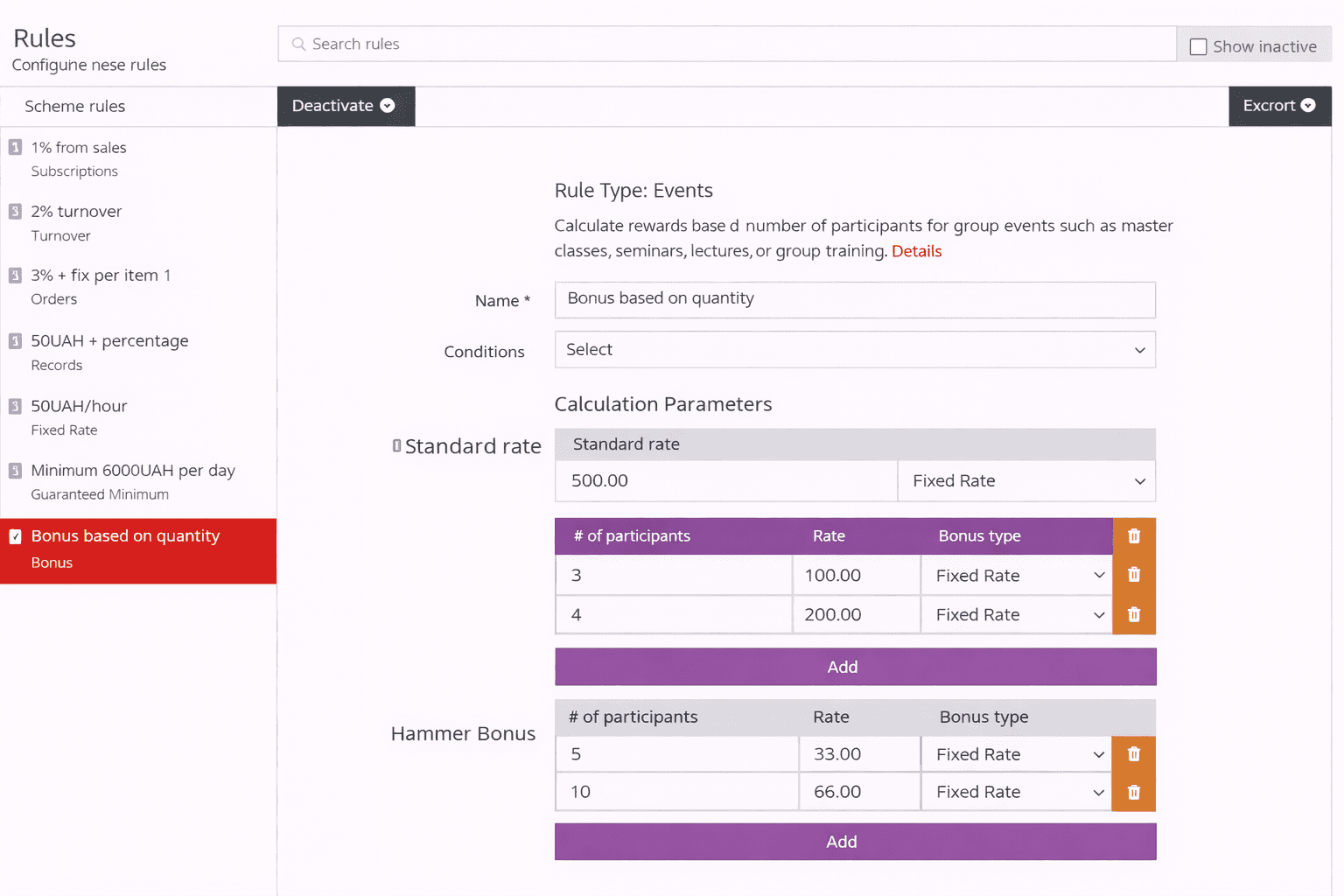
Used for accruing compensation for conducting group events.
Rule capabilities:
- standard rate per event, regardless of the number of participants;
- multi-level compensation depending on the number of participants, the highest achieved threshold takes effect;
- adjacent bonuses -- additional bonuses, each of which takes effect in your accrual depending on the number of participants;
- count only participants whose appointments have the selected payment statuses (the "Appointment payment statuses" filter).
Suitable for trainings, workshops, group classes.
Compensation calculation methods
After the threshold is determined, the compensation amount is calculated using one of the following methods:
- Fixed amount -- the value specified in the threshold is accrued.
- Percentage -- the percentage specified in the threshold is applied to the total event cost.
Multi-level compensation
Multi-level compensation is used for accruing a one-time base compensation depending on the achieved threshold of event participant count.
A list of thresholds is set for the rule. The system determines only one threshold -- the highest one that was reached or exceeded by the actual number of event participants.
The accrual uses the condition -- the actual number of participants is greater than or equal to the threshold value.
If no threshold is reached, no compensation is accrued for this rule.
Configured thresholds:
- 10 participants
- 20 participants
- 30 participants System results:
- 8 participants -- no threshold reached, no compensation accrued.
- 20 participants -- threshold 20 is used.
- 22 participants -- threshold 20 is used.
- 35 participants -- the highest achieved threshold 30 is used.
Banded bonuses
Banded bonuses are used for accruing additional compensation using a step-based or marginal accrual principle.
Each threshold defines the start of a new band with its own rate.
- All thresholds are sorted in ascending order.
- For each band, the number of participants falling into it is determined.
- The number of participants in the band is multiplied by the rate of that band.
- The amounts across all bands are totaled.
Configured thresholds:
- Threshold 1: rate of 100 UAH for participants 1 through 9
- Threshold 2: rate of 150 UAH for participants 10 and above Actual number of participants: 12
Accrual:
- Band 1 (1-9): 9 x 100 UAH = 900 UAH
- Band 2 (10-12): 3 x 150 UAH = 450 UAH Total bonus amount: 1,350 UAH
Payment status filter
The rule can count participants by the payment status of their appointments. In the "Appointment payment statuses" filter, select the statuses you need: Unpaid, Underpayment, Paid or Overpayment.
- Only participants whose appointment has one of the selected payment statuses are counted.
- The filter works together with the appointment statuses filter: a participant has to match both.
- If no appointment statuses filter is set, only appointments in statuses with "Record reserve time in the resource schedule" enabled are counted, so cancelled bookings never count.
- An empty filter means the payment status is not checked.
For example, to pay a trainer only for participants who have already paid for the class, select Paid and Overpayment.
Memberships
Used for accruing compensation for membership sales.
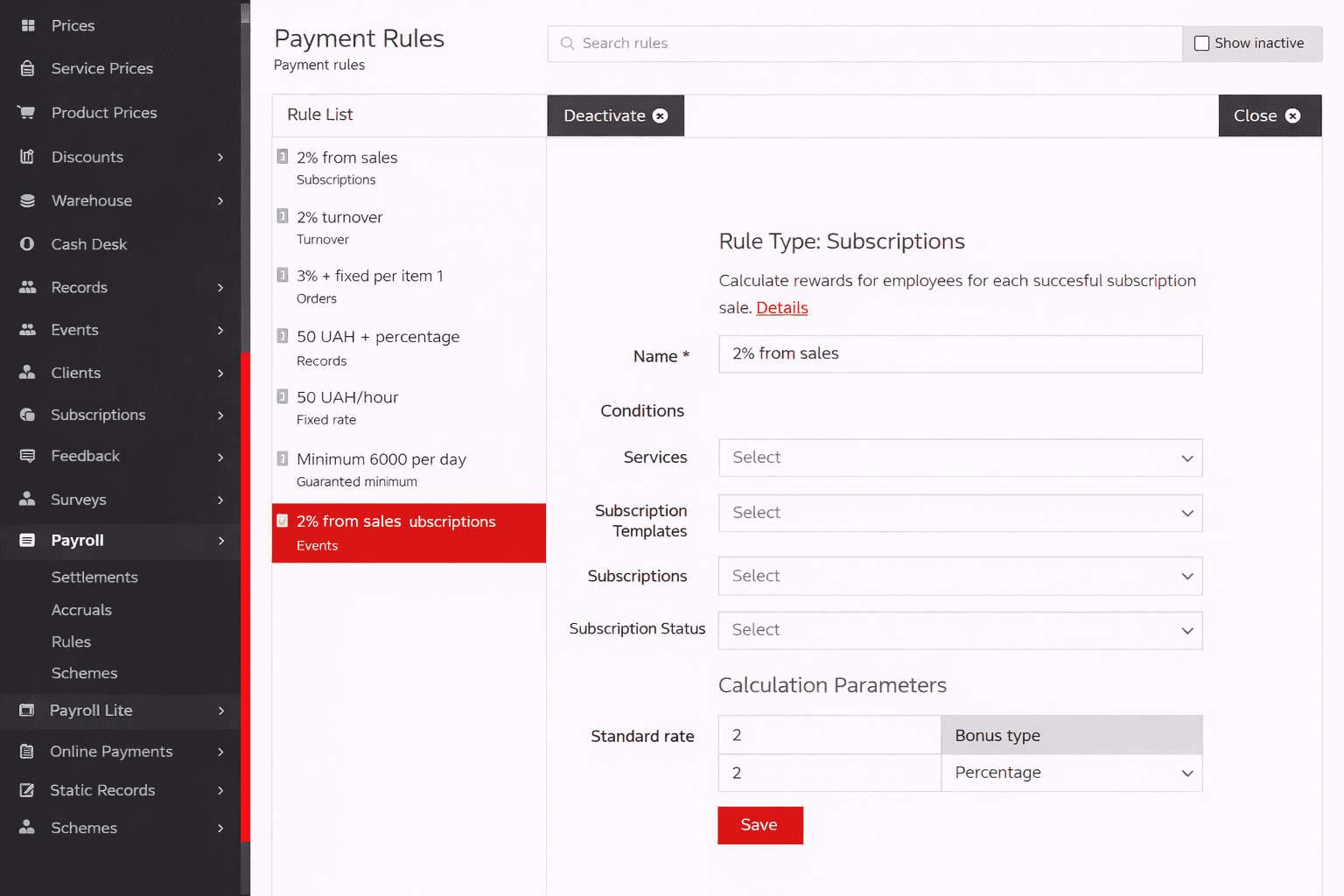
Main parameters:
- percentage or fixed amount;
- filtering by membership types and templates;
- payment status consideration.
Suitable for businesses with prepaid services.
Guaranteed minimum
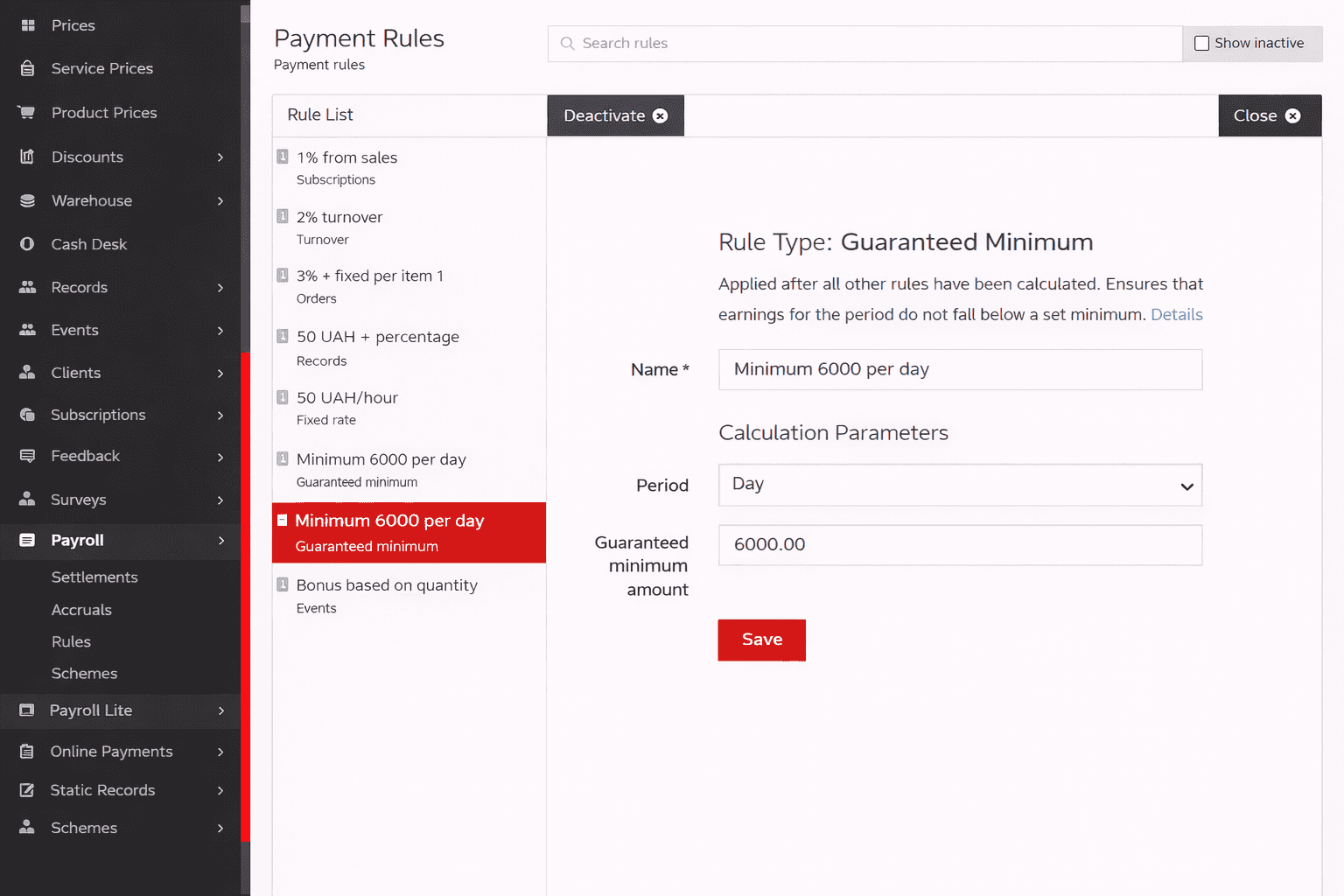
Used to ensure a minimum income level for a period.
Features:
- applied after all other rules have been calculated;
- guarantees a minimum amount per day or other period;
- compensates the difference if actual income is below the minimum.
Used as a safety mechanism for specialists.
Rule application conditions
For each rule, application conditions can be defined, including:
- services or products;
- appointment or payment statuses;
- cash registers or payment sources;
- rule validity period.
This allows you to precisely control when and to what the rule is applied.
Rule status
Each rule can be:
- active -- used in accrual schemes;
- inactive -- saved but does not participate in accruals.
This allows you to preserve historical settings without deleting them.