
Analysis and correction - Salary
How to analyze the module and correct inaccuracies in the settings
The key feature of the Salary section is full transparency of accruals. The system provides tools that allow you to check in detail how any value in an accrual was formed and quickly find the reason for discrepancies.
Below are typical situations and recommended actions.
Situation 1: Unclear amount in mutual settlements
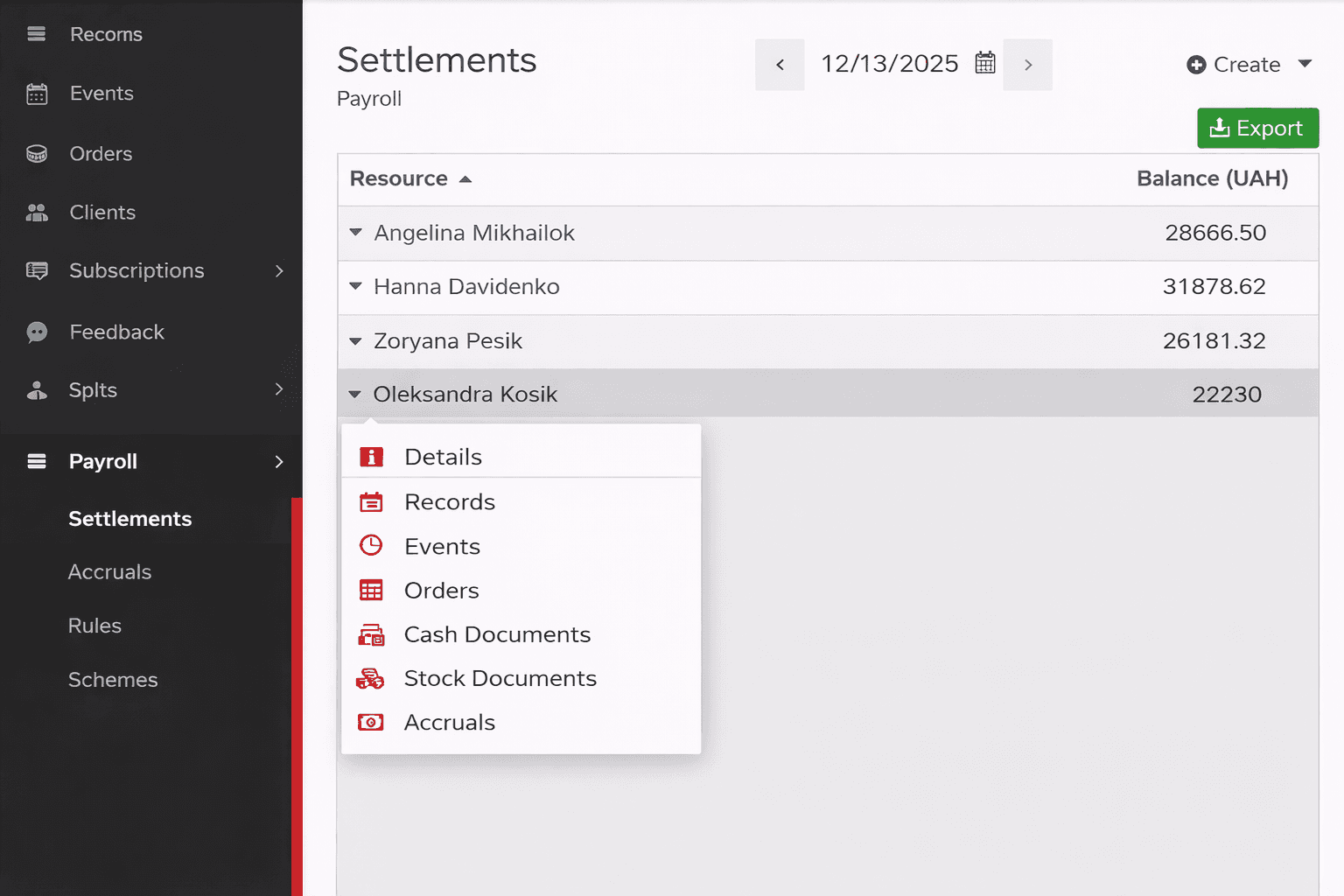
Solution
On the Mutual settlements screen, click on the relevant specialist to open their context menu and navigate to view accruals.
You will get a list of all:
- accruals;
- payments;
- penalties;
- bonuses.
If needed, change the period at the top of the screen. If all documents in the selected period look correct, the cause is usually found in previous periods. Most commonly it is:
- a missed payment;
- an unconfirmed accrual in the previous month.
Situation 2: The amount in the accrual document does not match expectations
Solution
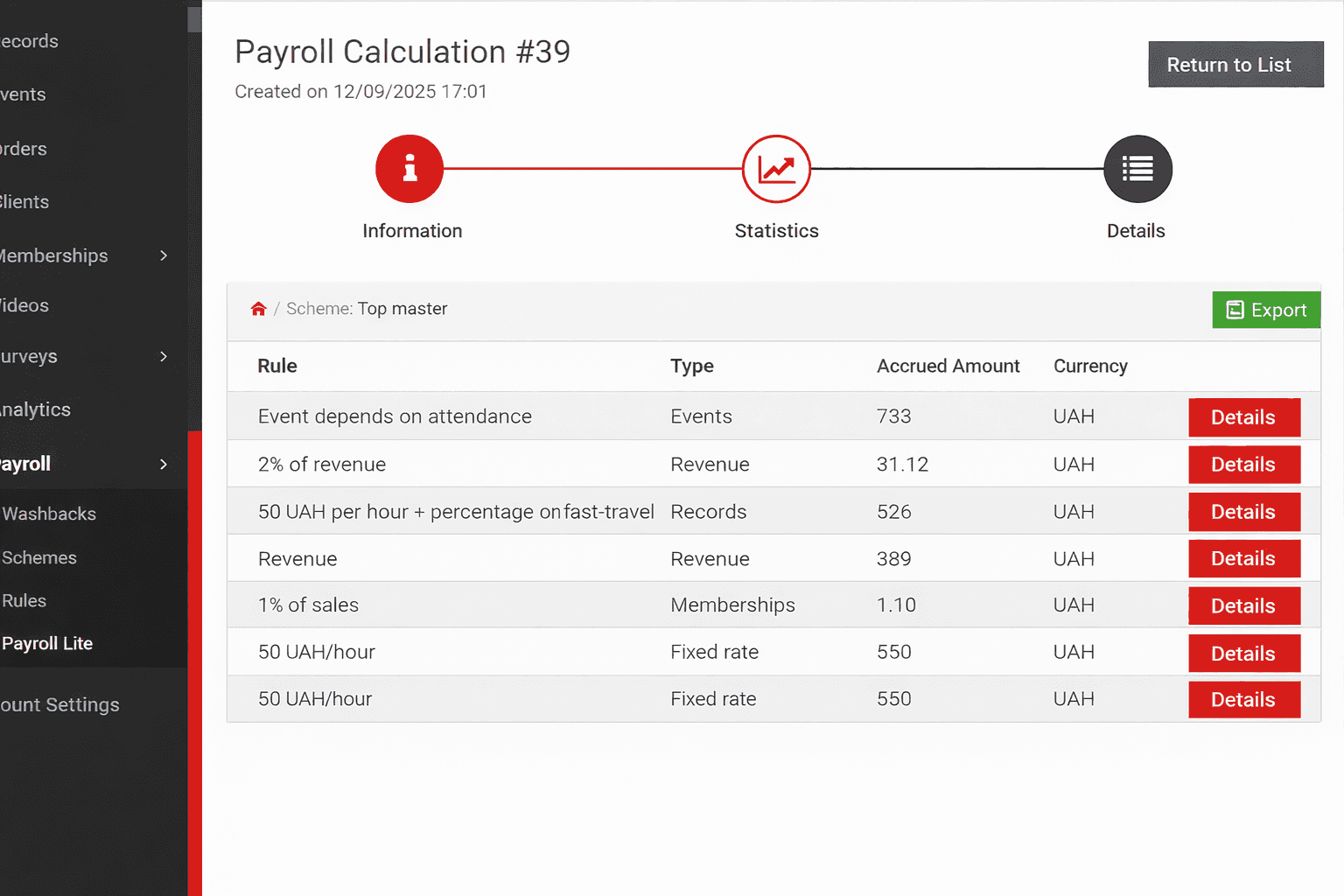
In the accrual document details, the following are available:
- statistics by rules and schemes;
- detailed data for each appointment or operation
If the scheme uses multiple rules, start with the statistics. They allow you to:
- see all rules that participated in the accrual;
- identify duplicate rules;
- find a rule that should not apply to this specialist.
If only one rule is used, go directly to the accrual details. There you will see which appointments or payments formed the amount, and you can navigate to their details -- for example, to correct the service price in an appointment.
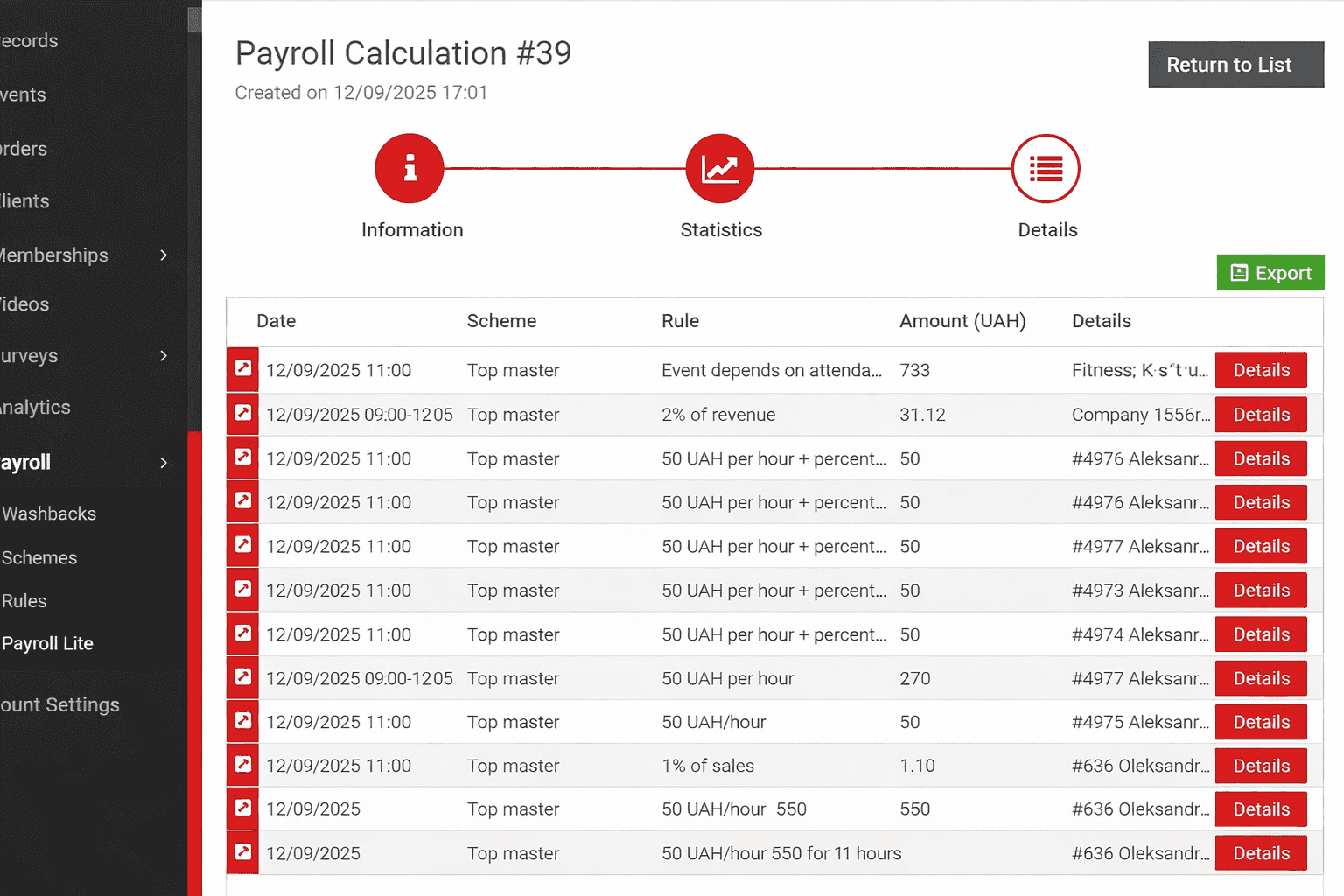
After making changes, use the Recalculate function in the accrual document.
Situation 3: An employee has accruals that should not exist
Solution
Go to the Accrual schemes section and check:
- which rules are assigned to the employee's schemes;
- whether unnecessary rules are being applied.
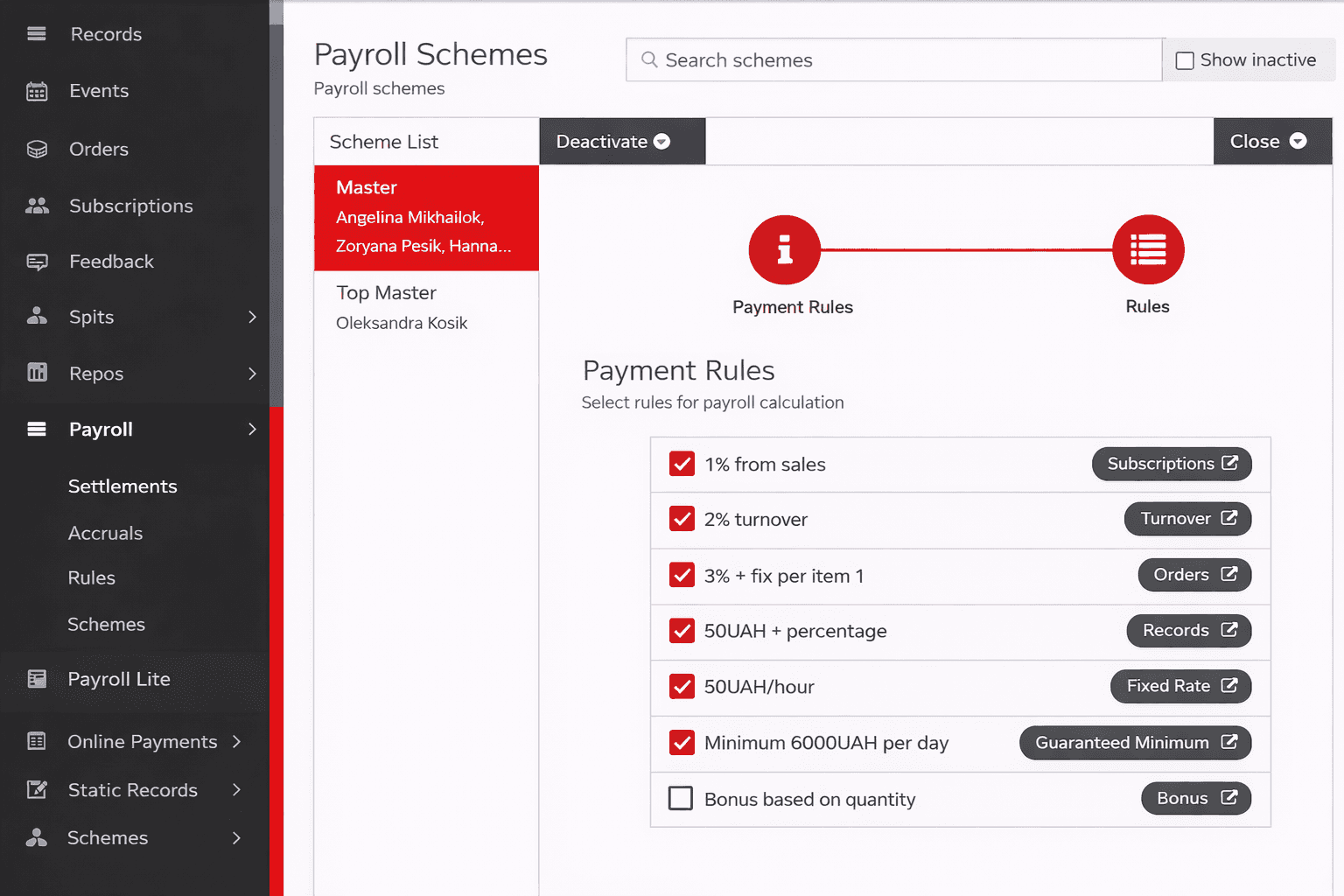
Note: if the same rule is added to two different schemes that are both assigned to the same employee, that rule will be applied twice.
Situation 4: Unable to configure accrual rules
Solution
We recommend first reviewing the corresponding article in the knowledge base, which describes all rule types and their configuration options.
If questions remain after that, contact the Support Center for assistance.