
Registration in the payment system
Where to start and how to activate the profile on the side of the payment system
Before connecting a payment system, you need to fill in the information in the Settings sections:
General information, Address, Social networks and messengers.
It is also important to have fully completed services and prices.
plata by mono
- Website: monobank.ua/e-comm
Wayforpay
- Website: wayforpay.com
- Knowledge base: wiki.wayforpay.com
- Detailed activation guide: help.wayforpay.com/uk/view/1737806
Liqpay
- Website: liqpay.ua
- Knowledge base: liqpay.ua/information/handbook
- Website requirements for connection: liqpay.ua/information/requirements
Hutko
- Website: hutko.org
- Knowledge base: docs.hutko.org
- Registration and activation instructions: hutko.org/uk/registration-instructions
Stripe
- Website: stripe.com
- Knowledge base: support.stripe.com
- Detailed guide on payout conditions: docs.stripe.com
Przelewy24
- Website: przelewy24.pl
- Detailed activation guide: przelewy24.pl/instrukcja_obslugi_panelu_transakcyjnego_pl.pdf
Fondy
- Website: fondy.ua
- Knowledge base: fondy.ua/uk/faq
- Detailed activation guide: fondy.ua/uk/blog/registration_ua
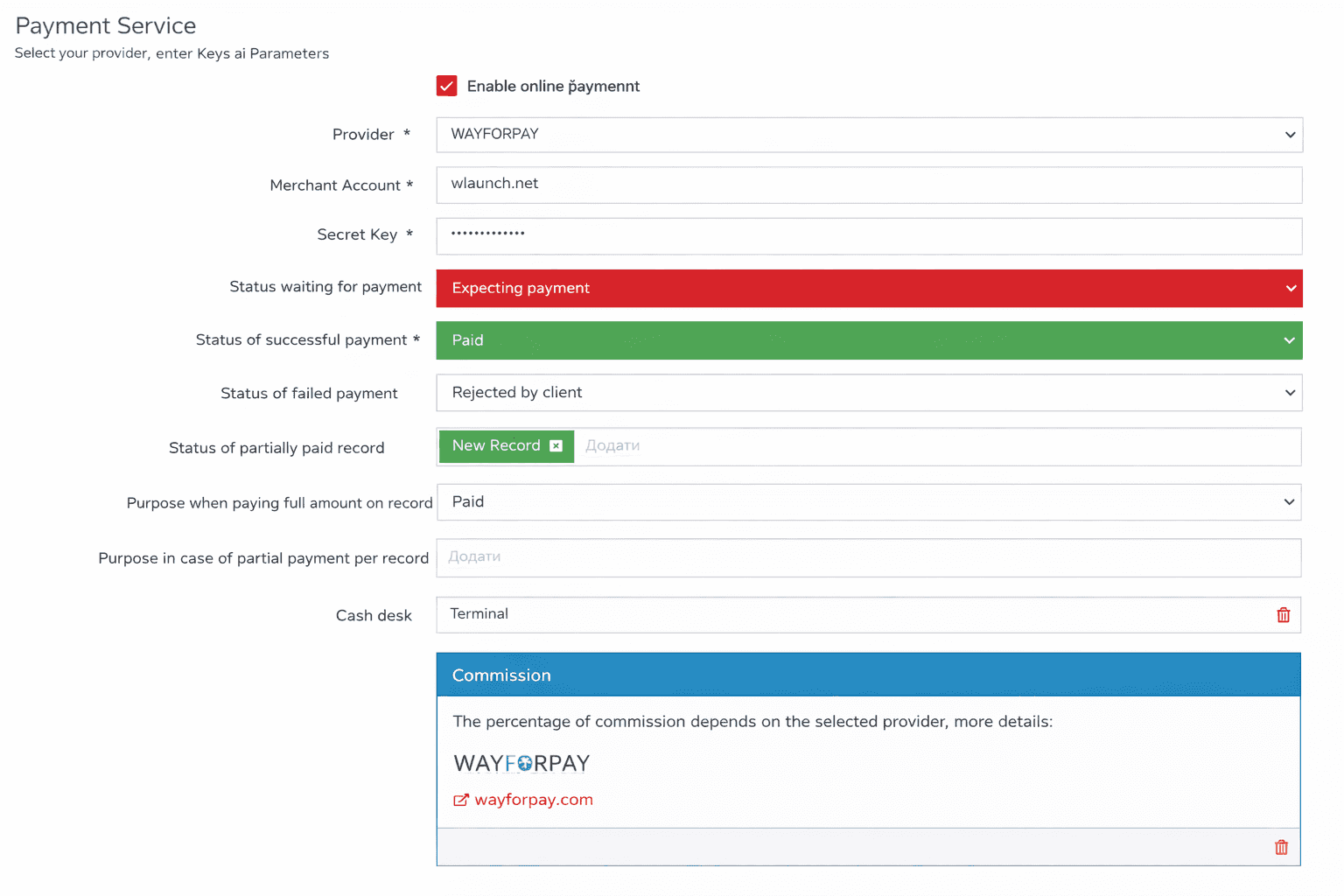
Setup procedure on the Wlaunch side
- You need to enter the keys from the selected payment system
- Specify the statuses that correspond to the booking flow
- Select the default cash register for generating reports
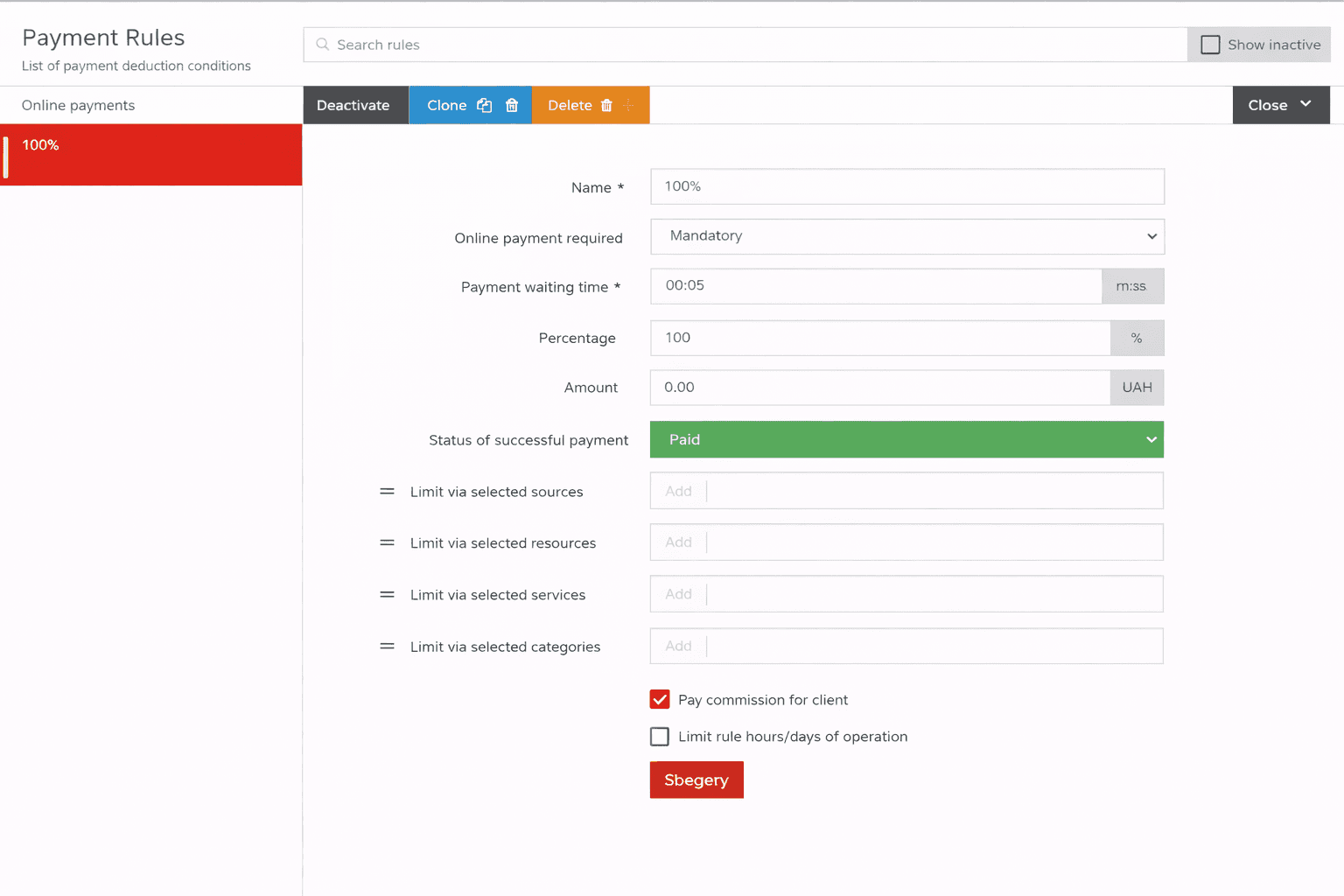
- Create rules according to which online payment is available
Membership payments
- Currently, membership payments are not regulated by rules; all payment attempts follow the optional 100% payment rule