
Email mailings
How to set up and configure email notifications
Registration in the mailing system
Registration in the mailing system involves creating an account in the system. To do this, you need to go to the provider's website, fill in the registration form, and confirm your account via email or phone.
Examples of mailing servers, but you can use any other:
Connecting the system in Wlaunch
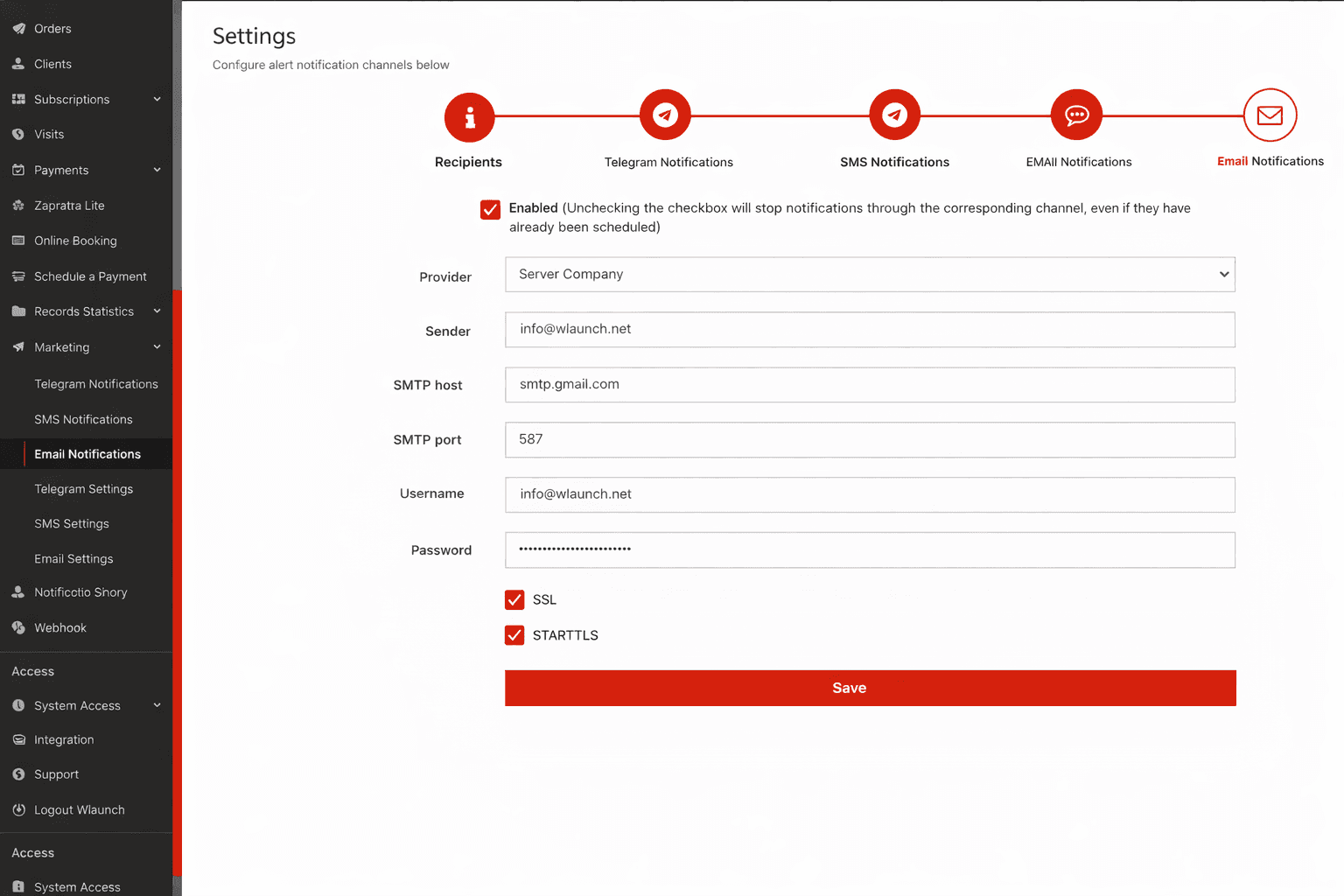
Go to the Mailings - Settings - Email section
Change the Provider to Company Server
Specify the Sender, usually this is an email address
SMTP host - the server address for sending
SMTP port - the port used for mailing, depends on the server
Username - this is the email or login for accessing the server
Password - the access code; in the case of smtp.gmail.com, follow this instruction
The SSL and STARTTLS options depend on the server
Click Save
Verifying the settings
To make sure the settings are configured correctly, you can send a personal message to a client.
Then go to the Mailings - History section and check the message status. If there is an error, go to the details to get more information.