
SMS.pl
How to register and connect SMS.pl
How does it work?
The SMS gateway enables instant communication with your client. It is used to send booking confirmations, reminders about scheduled appointments, client phone number verification, etc.
Activation
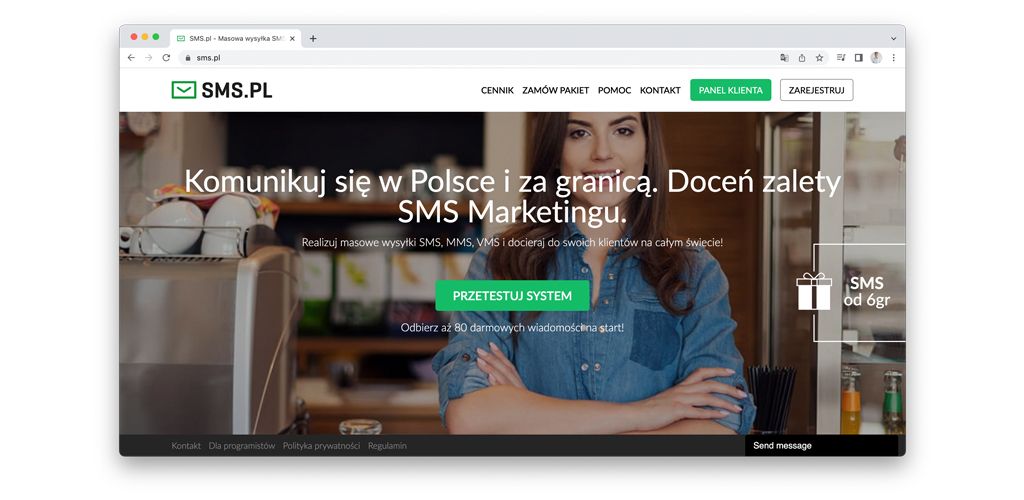
Go to the website https://sms.pl
Create an account by clicking the REGISTER button.
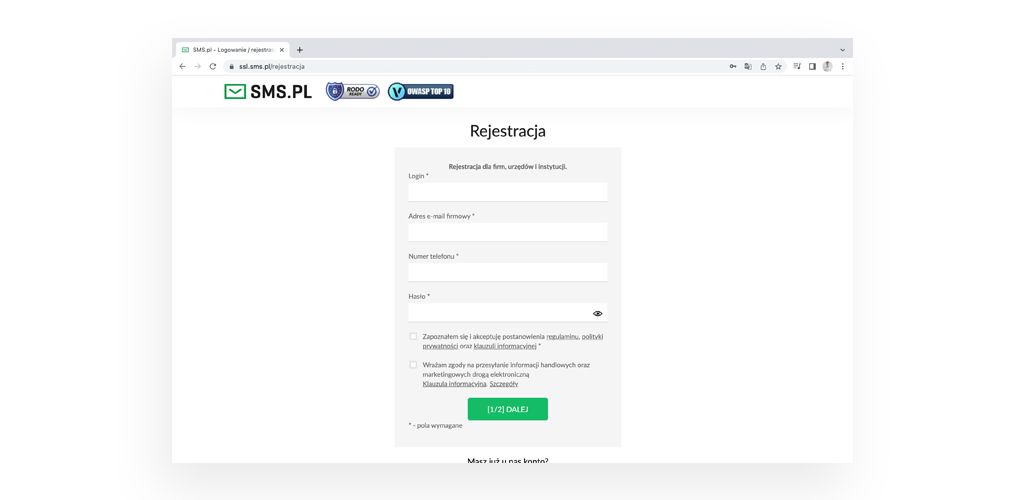
Enter all the required details.
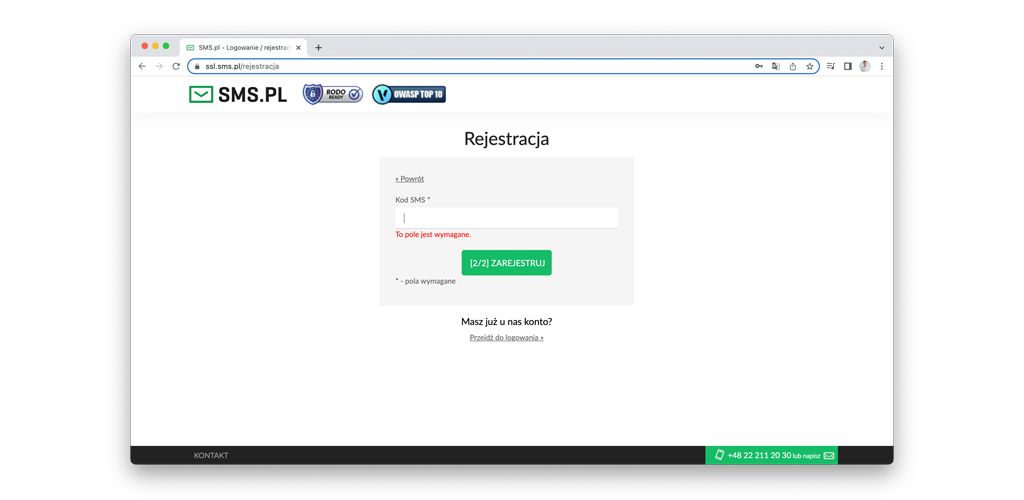
Verify your number and click REGISTER.
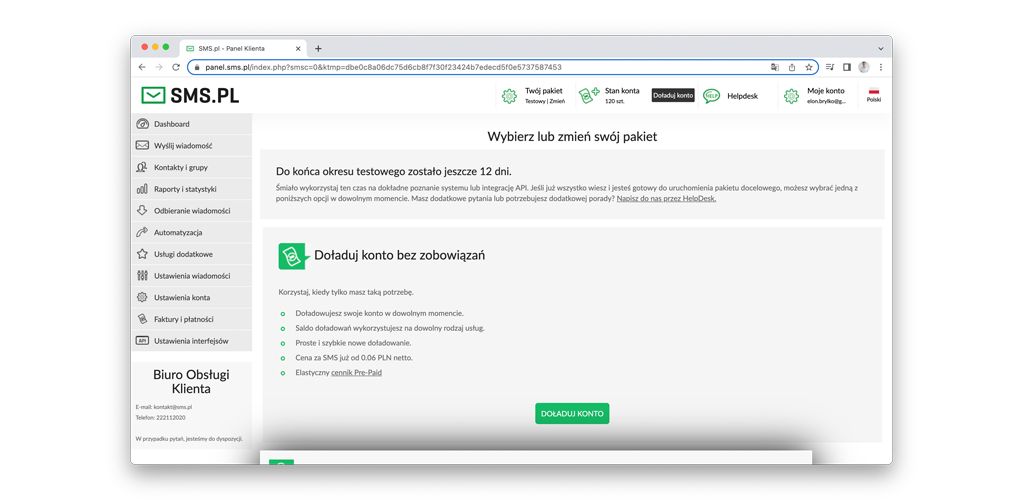
Click TOP UP ACCOUNT.
Enter all the required details.
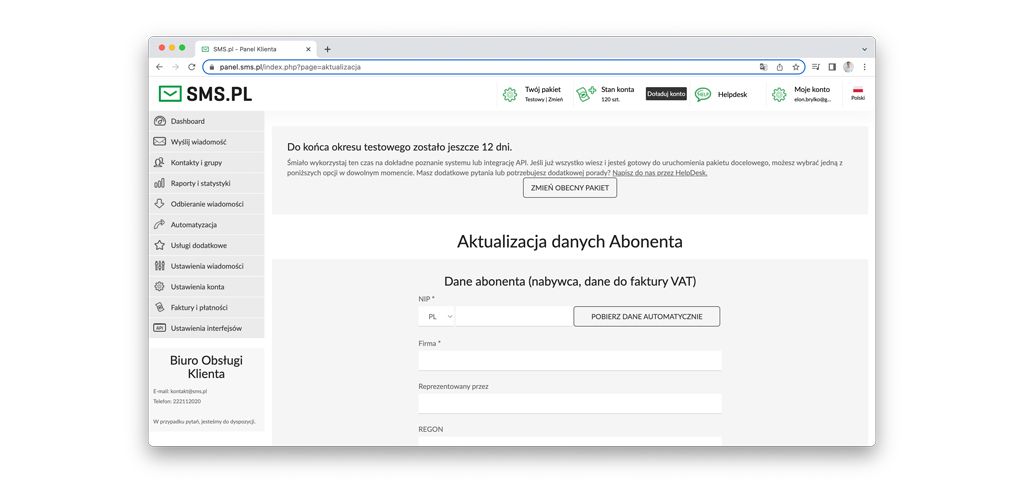
Enter the top-up amount (Note: the price of each SMS depends on the amount) and click NEXT.
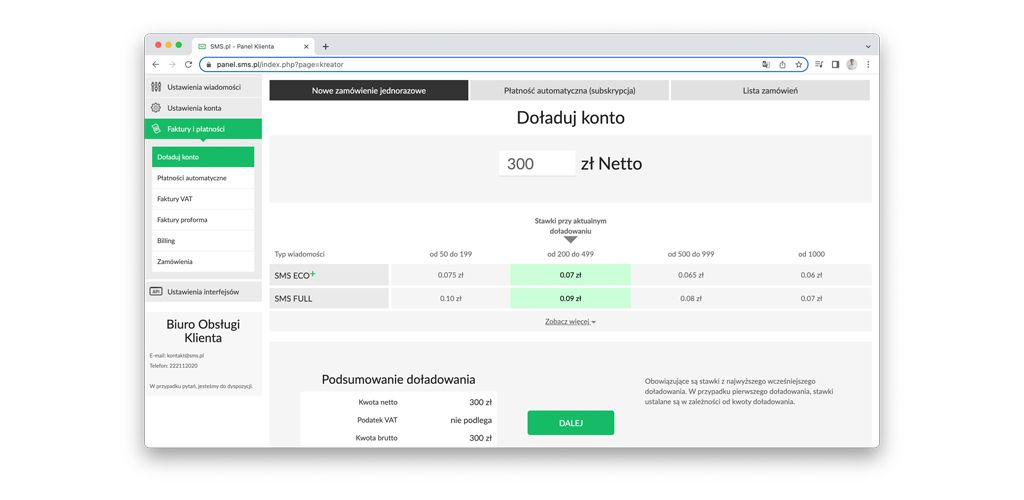
Select the payment method. After selecting the payment method, click ORDER.
Fill in the missing details and click PAY VIA..(selected payment method).
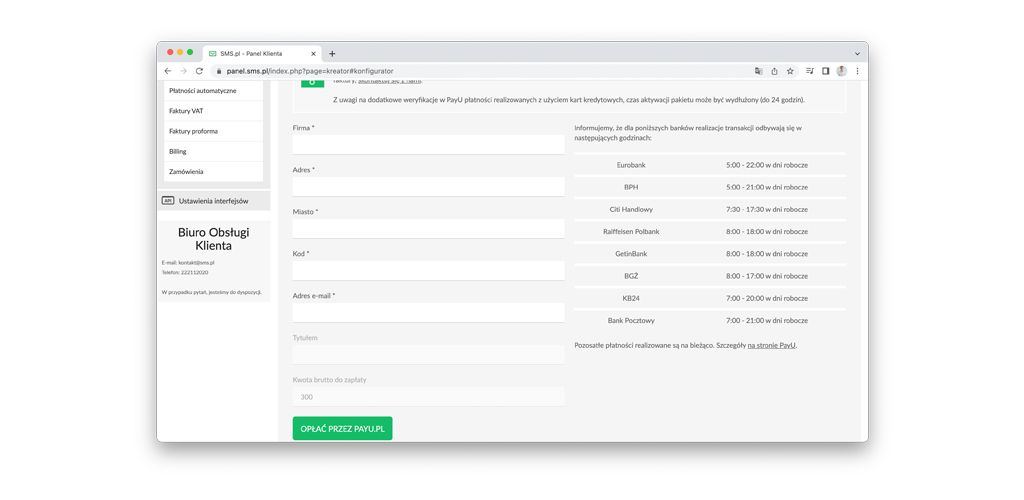
Complete the payment.
After completing the payment, select Interface Settings > HTTP API in the side menu. Click API Tokens and then +.
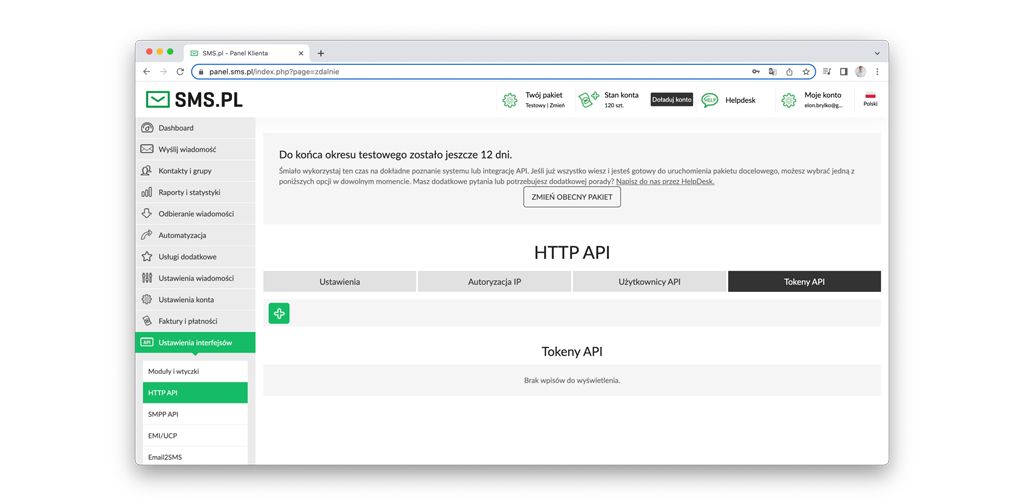
Copy the generated token and click CLOSE.
Go to the website https://bo.wlaunch.net
After logging in, select Mailings > Settings > SMS in the side menu. In the Provider field, leave the Company server option and click Add Gateway.
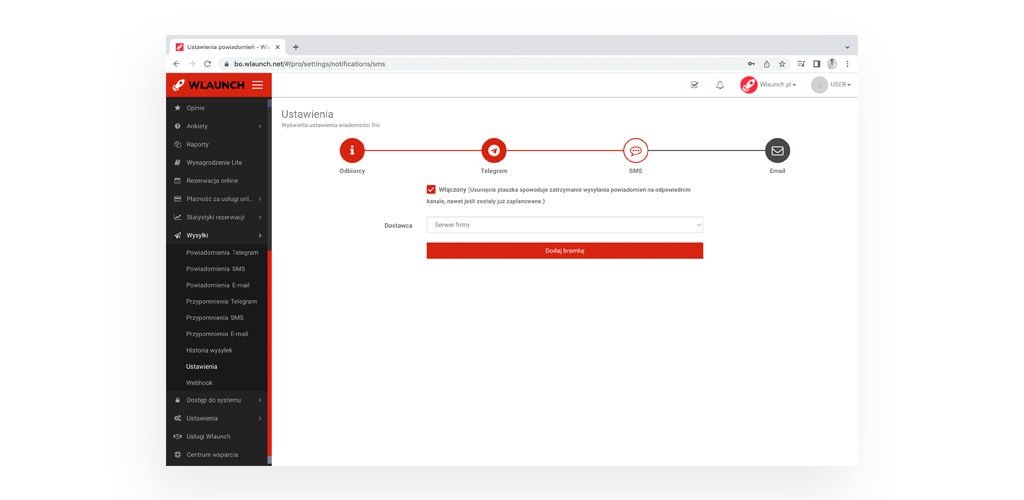
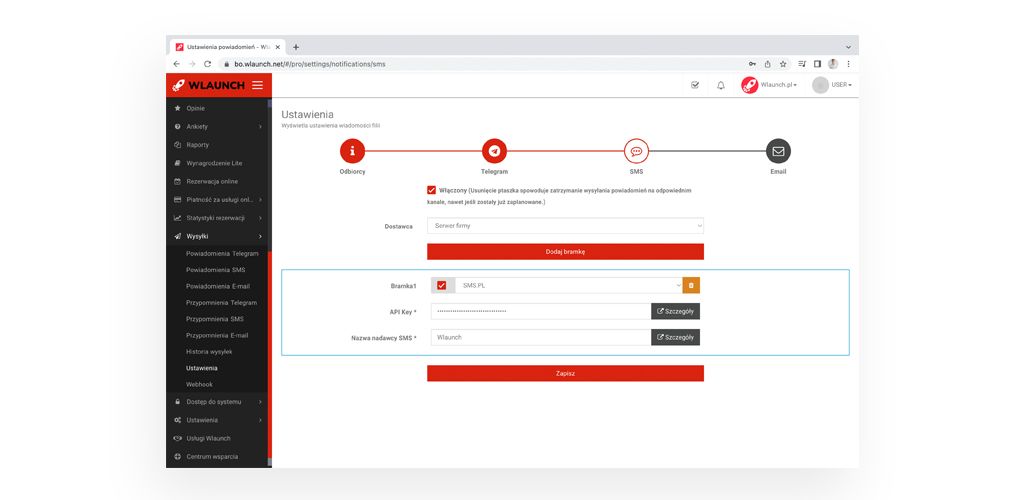
Select SMS.PL.
Then paste the previously copied token into the API Key * field.
And click on the checkbox next to the gateway name.
Go back to the website https://sms.pl
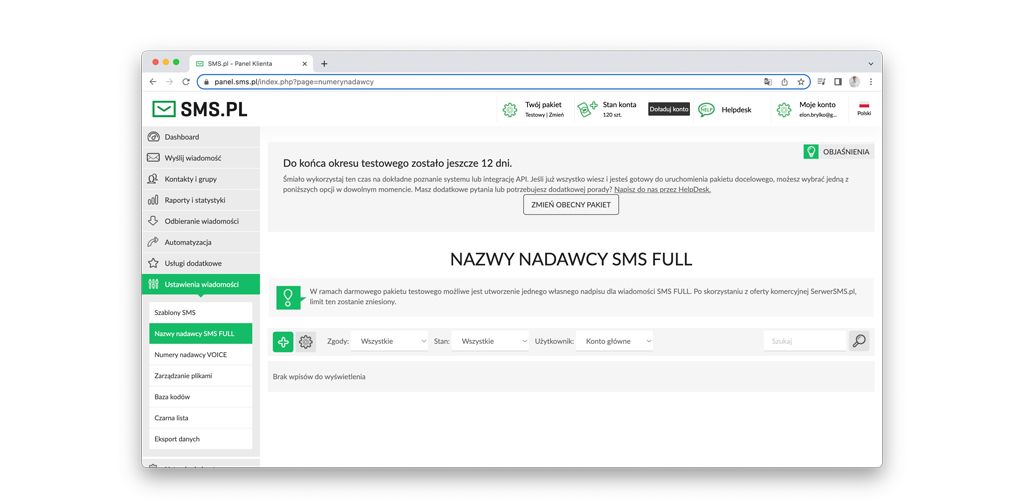
In the side menu, select Message Settings > SMS FULL Sender Names, and click +.
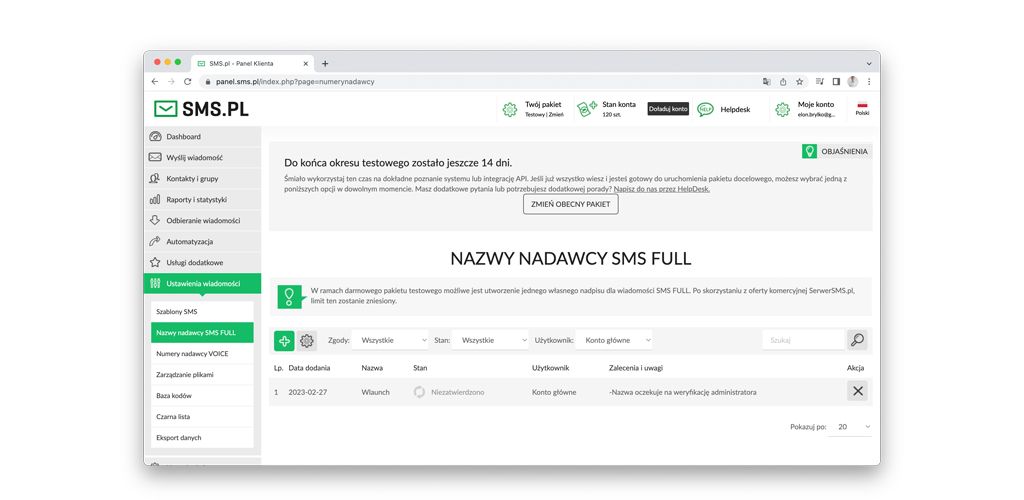
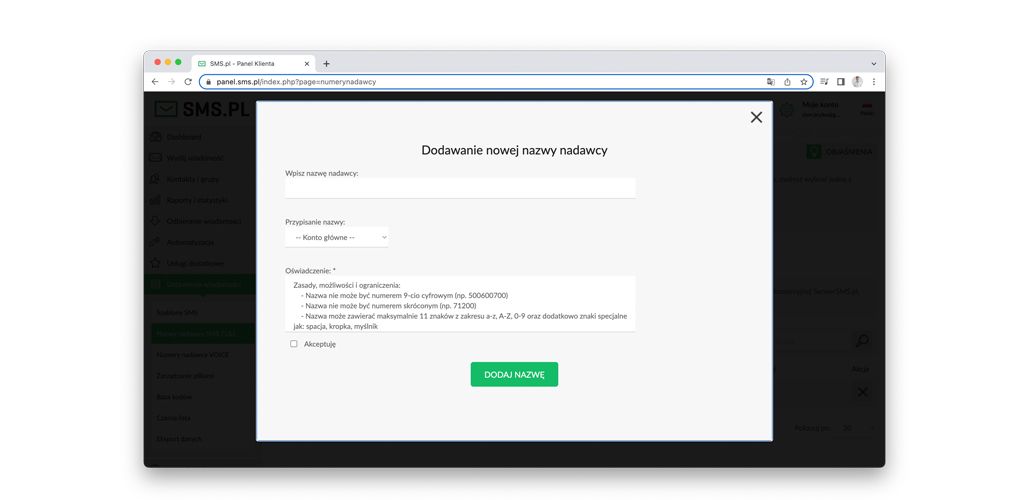
Enter the sender name (for example: your company name) and click ADD NAME.
Wait until your name passes verification and copy it.
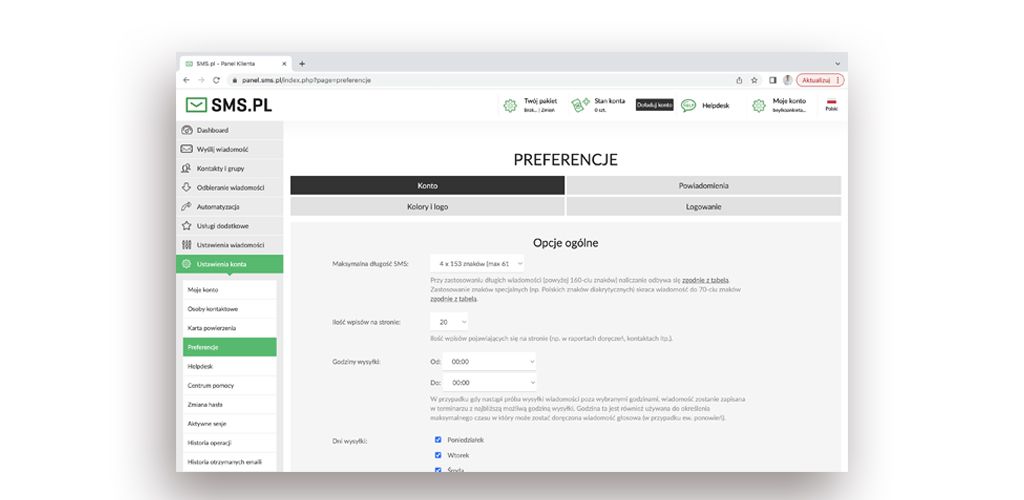
In the side menu, select Account Settings > Preferences > Maximum SMS length.
Change to 4x 153 characters (max 612 characters).
Go back to the website https://bo.wlaunch.net
Paste the name into the SMS Sender Name * field and click Save.
Congratulations! The SMS gateway has been added successfully.