
Accruals and operations - Salary
How to create accruals, penalties, bonuses, and employee payments
The Accruals and operations section is designed for viewing all accruals and payments, as well as for creating documents that affect employees' salary balance.
Section purpose
In this section you can:
- view accrual and payment history;
- create accrual documents;
- manage financial operations for each employee.
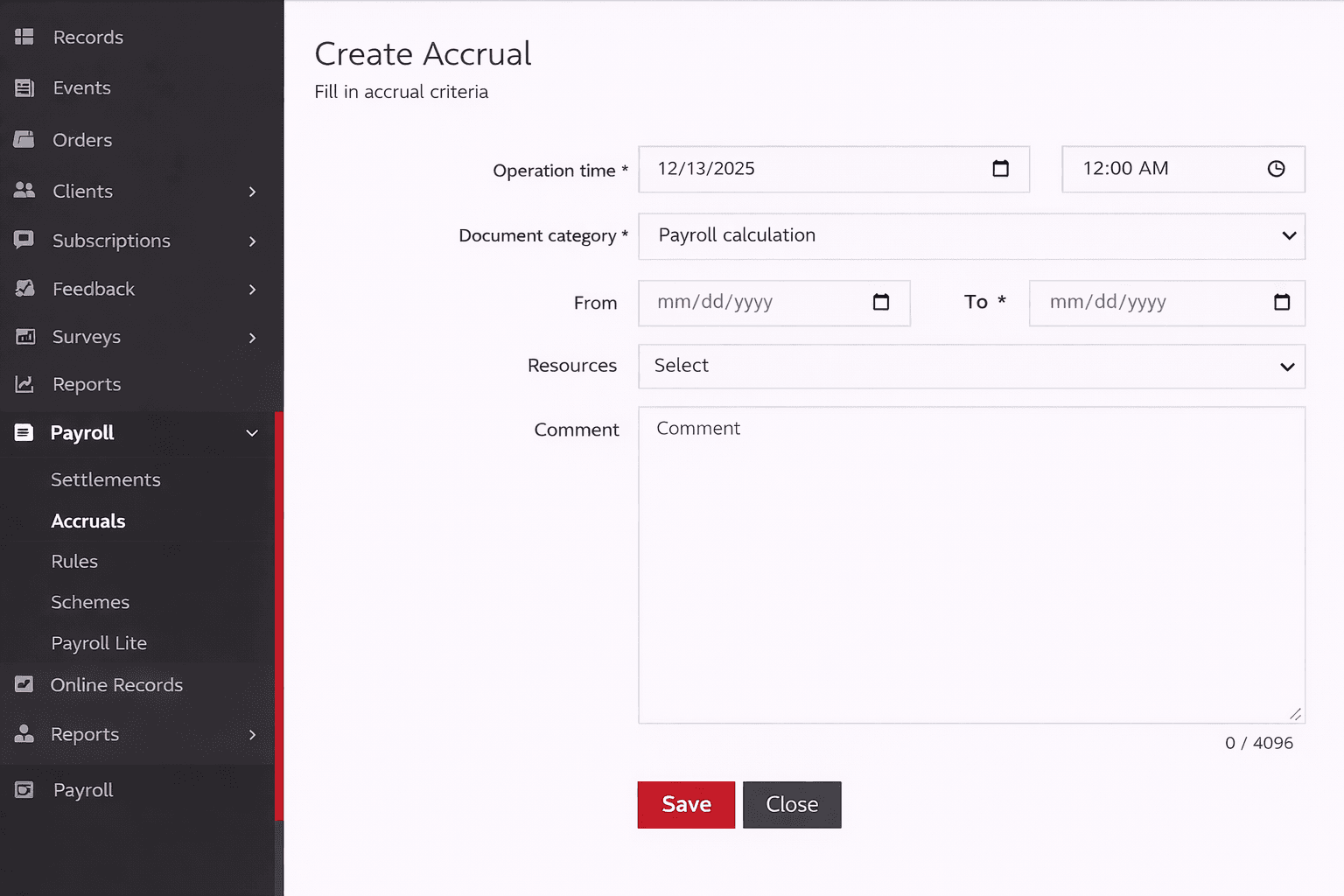
Accrual document types
Four types of documents are available in the system:
- Salary accrual
- Penalty
- Bonus
- Salary payment
All documents share a similar set of basic fields, but each type has its own specifics.
Salary accrual
The salary accrual document is used for automatic salary calculation for a selected period.
Required fields:
- period start date;
- period end date.
Additionally, you can specify a list of specialists:
- if specialists are selected -- the accrual is performed only for them;
- if the list is empty -- the accrual is automatically performed for all specialists.
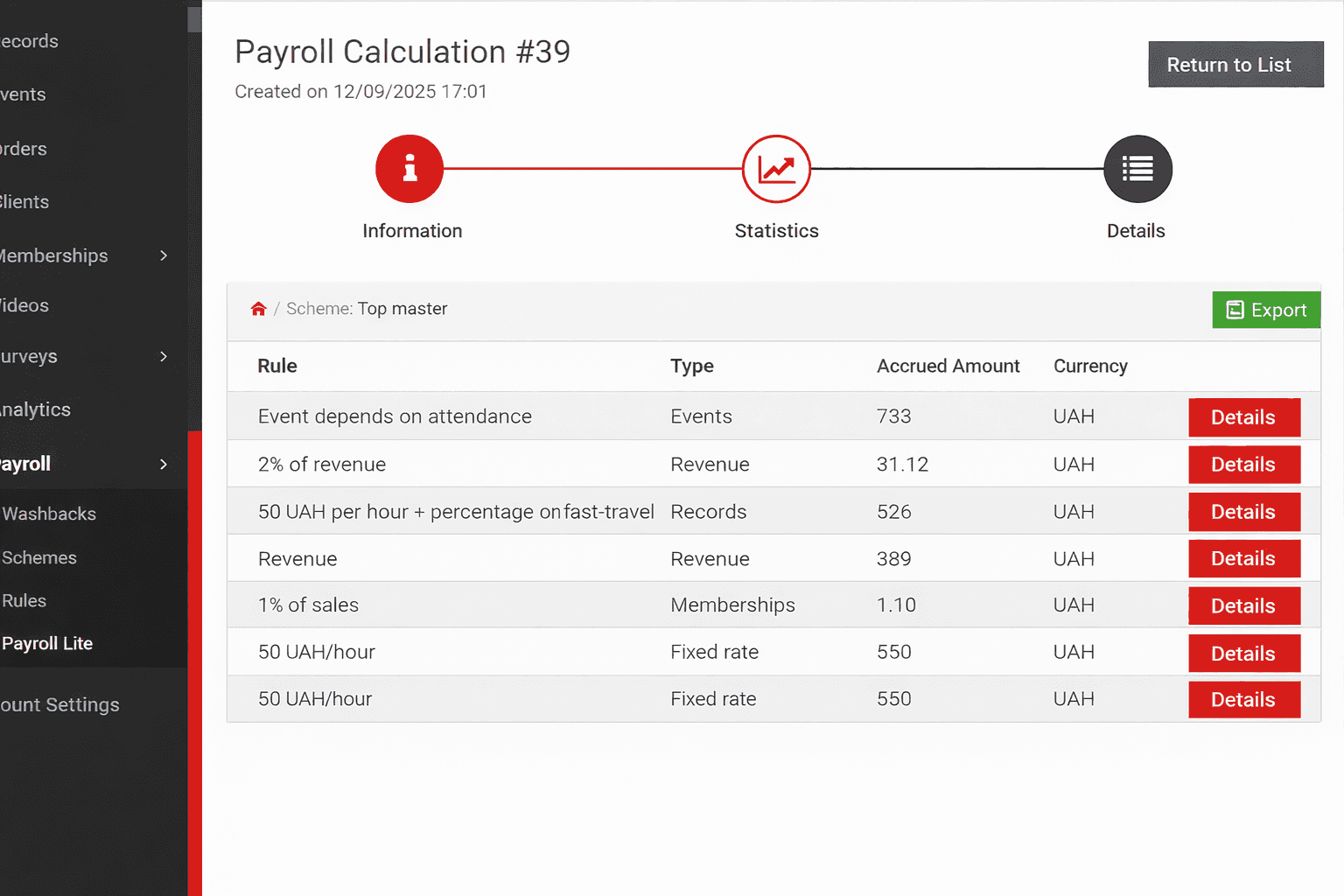
Statistics by rules
For the accrual document, statistics are displayed for each rule included in the scheme:
- accrual amount for each rule;
- the rule's contribution to the overall result;
- number of counted appointments.
This allows you to quickly assess which components make up the salary.
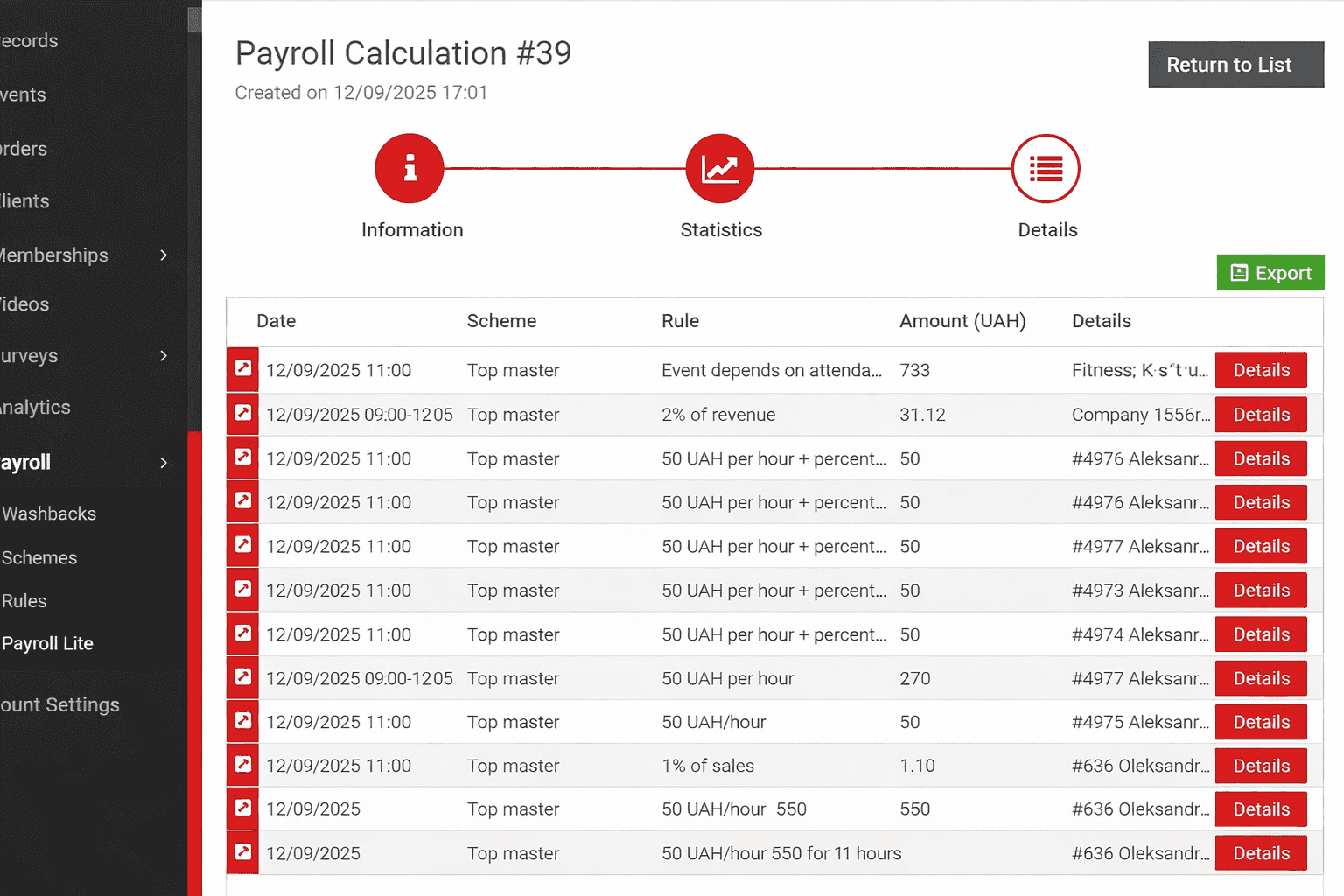
Accounting details
Detailed information is separately available about how each rule was applied within the accrual scheme.
You can view:
- which appointments were included in the accrual;
- which rule was used to process them;
- the amount generated by each individual appointment.
Penalty and bonus
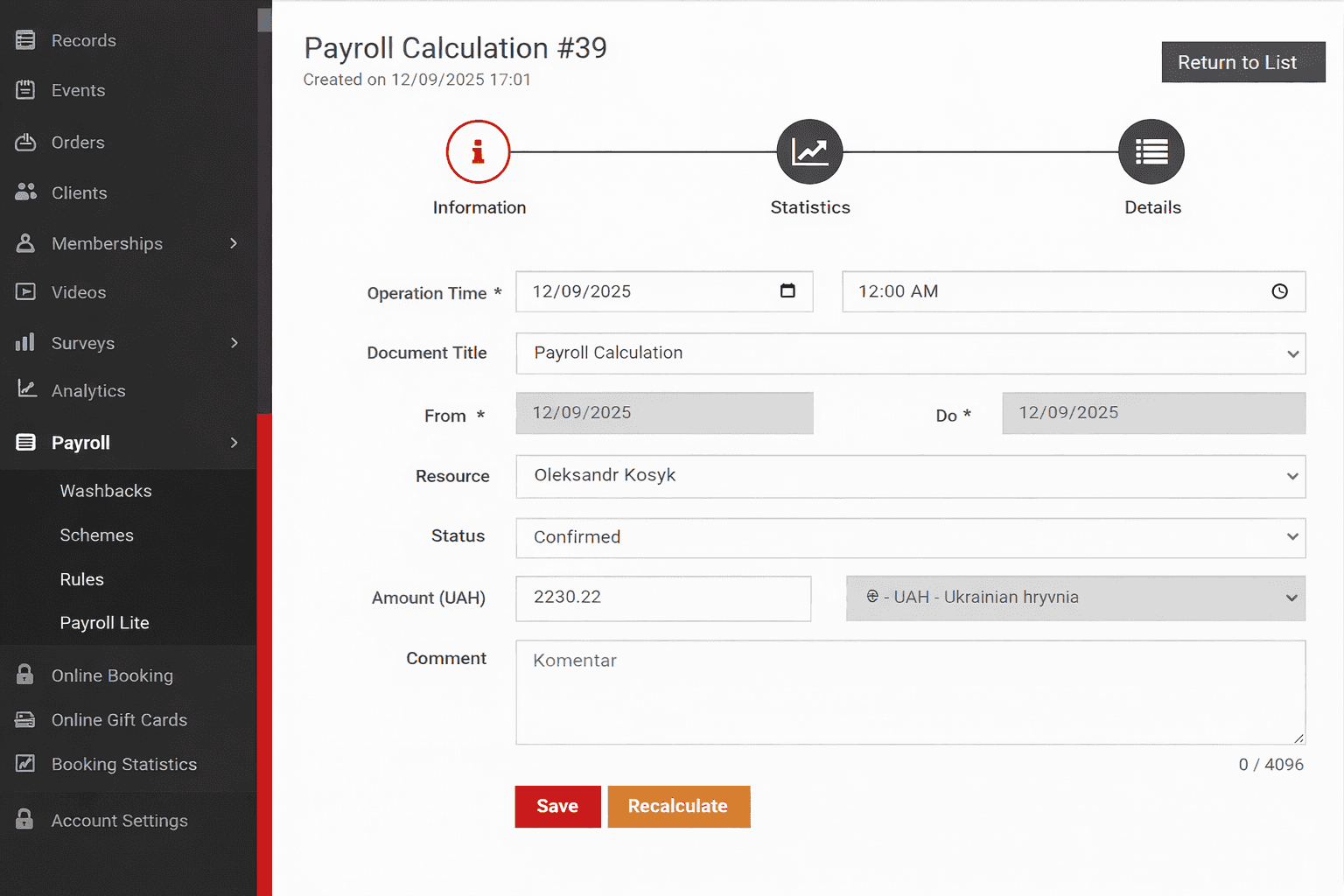
Penalty and bonus documents are used to adjust an individual specialist's balance.
Required fields:
- operation amount;
- specialist to whom the operation applies.
A penalty decreases the specialist's balance; a bonus increases it.
Salary payment
The payment document is used to record the actual disbursement of funds to a specialist.
Required fields:
- specialist receiving the payment;
- cash register from which the funds are disbursed;
- payment amount.
After confirmation, the payment reduces the specialist's salary balance.
Operation statuses
Each document has a status that determines its effect on the balance.
Created
The document is created but not yet confirmed. The specialist's balance does not change.
Confirmed
The document is recorded in the system and affects the specialist's balance.
Cancelled
The document is marked as erroneous. It does not affect the specialist's balance and is not included in mutual settlements.