
Stripe
Where to start and how to activate the profile on the side of the payment system
Before connecting a payment system, you need to fill in the information in the Settings sections:
General information, Address, Social networks and messengers.
It is also important to have fully completed services and prices.
Stripe
- Website: stripe.com
- Knowledge base: support.stripe.com
- Very detailed payout instructions: docs.stripe.com
Setup procedure on the Wlaunch side
- You need to create a key for processing payments in the Stripe admin panel
Create restricted key Providing this key to another website
 Customize permissions for this key
 Set all fields to NONE except those shown in the image below - for those, set WRITE

Setup procedure on the Wlaunch side
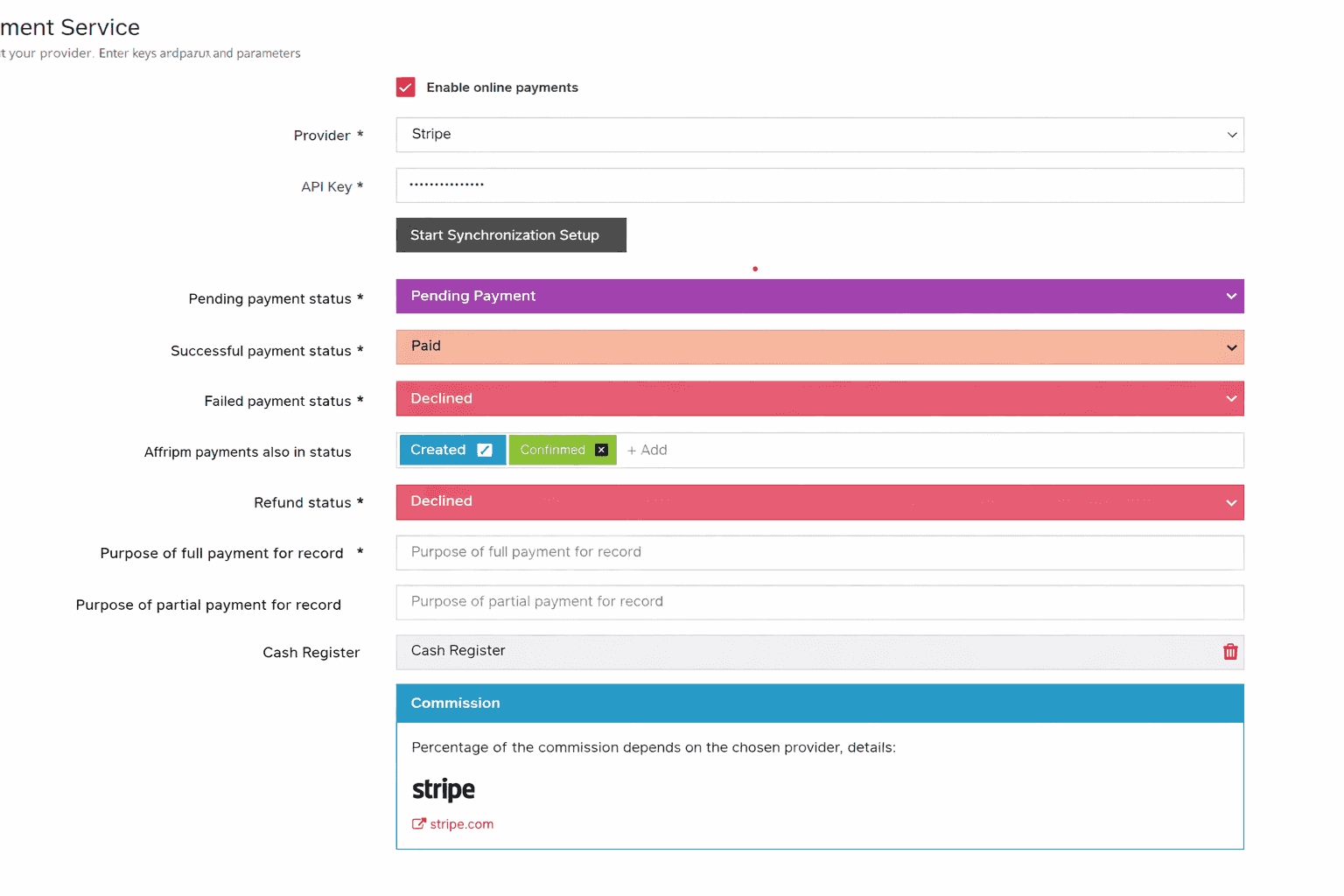
- Enter your API Key and click Run settings synchronization
- Fill in the statuses that correspond to the appointment flow
- Select the default cash register for reporting
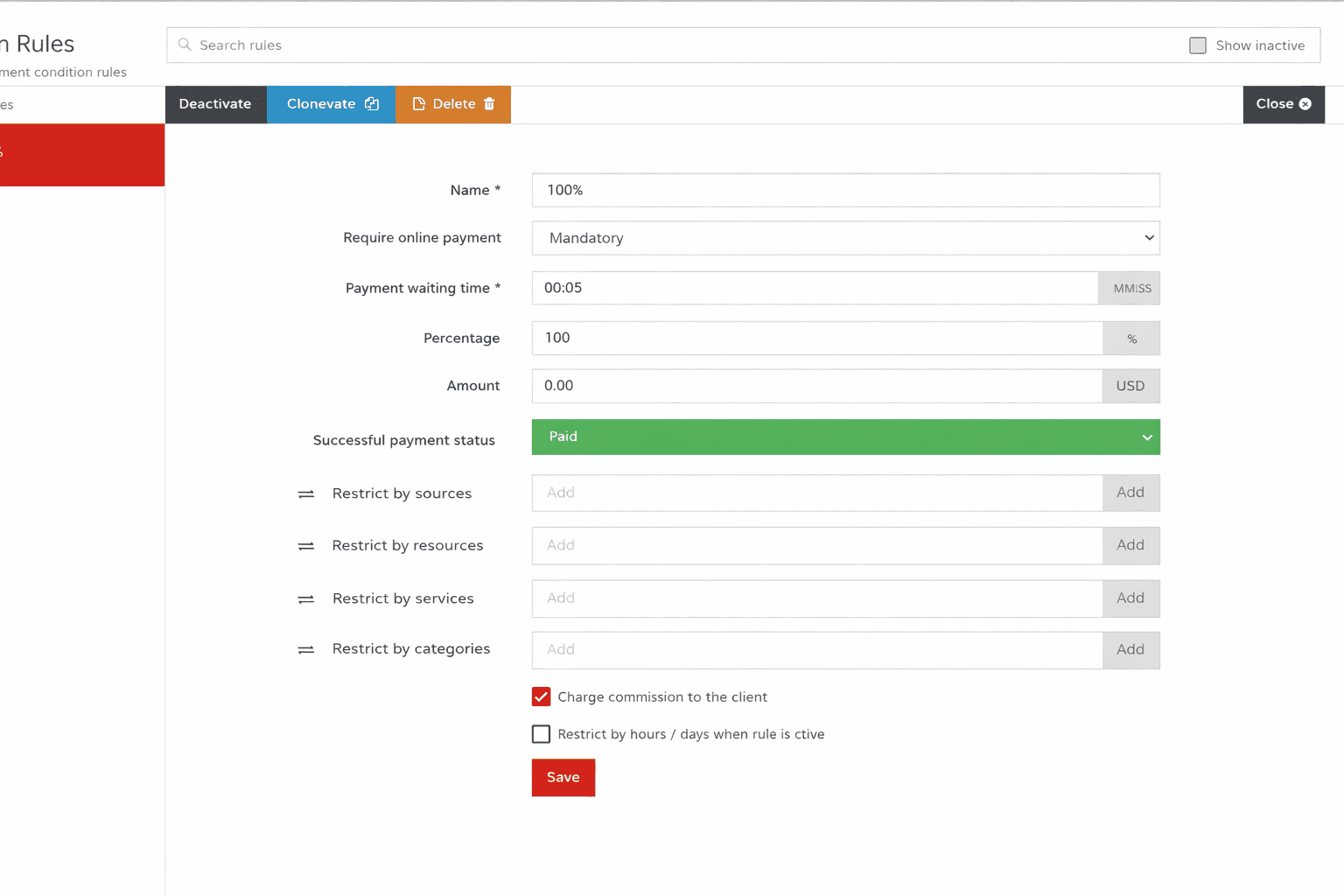
- Create rules according to which online payment is available
Membership payments
- Currently, membership payments are not regulated by rules - all payment attempts follow the optional 100% payment rule