
Przelewy24.pl
How to register and connect
Before connecting a payment system, you need to fill in information in the Settings sections:
General information, Address, Social networks and messengers.
It is also important to have fully completed services and prices.
Przelewy24
- Website: przelewy24.pl
- Very detailed activation instructions: przelewy24.pl/instrukcja_obslugi_panelu_transakcyjnego_pl.pdf
On the https://www.przelewy24.pl/ side
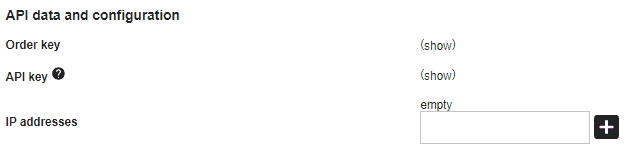
Go to the My account - Edit my data section
To the API data and configuration section
In the IP addresses field, you need to add the value %
On the https://bo.wlaunch.net side
Connection is done by transferring the required parameters
- You need to enter the keys from the selected payment system
- Specify the statuses that correspond to the appointment flow
- Select the default cash register for generating reports
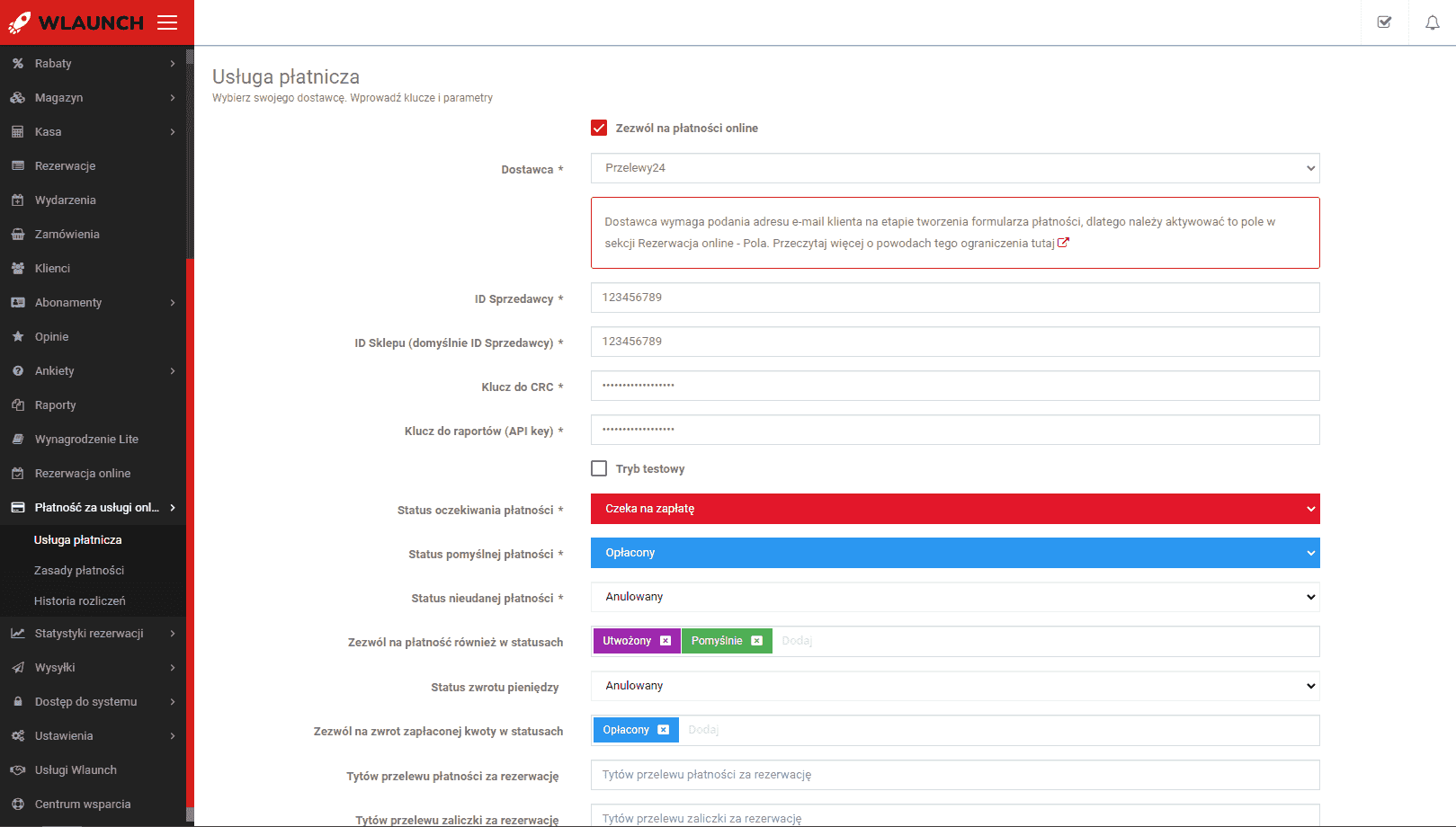
The provider requires the client's email at the payment form creation stage, so you need to activate this field in the Online booking - Fields section.
Create rules according to which online payment is available
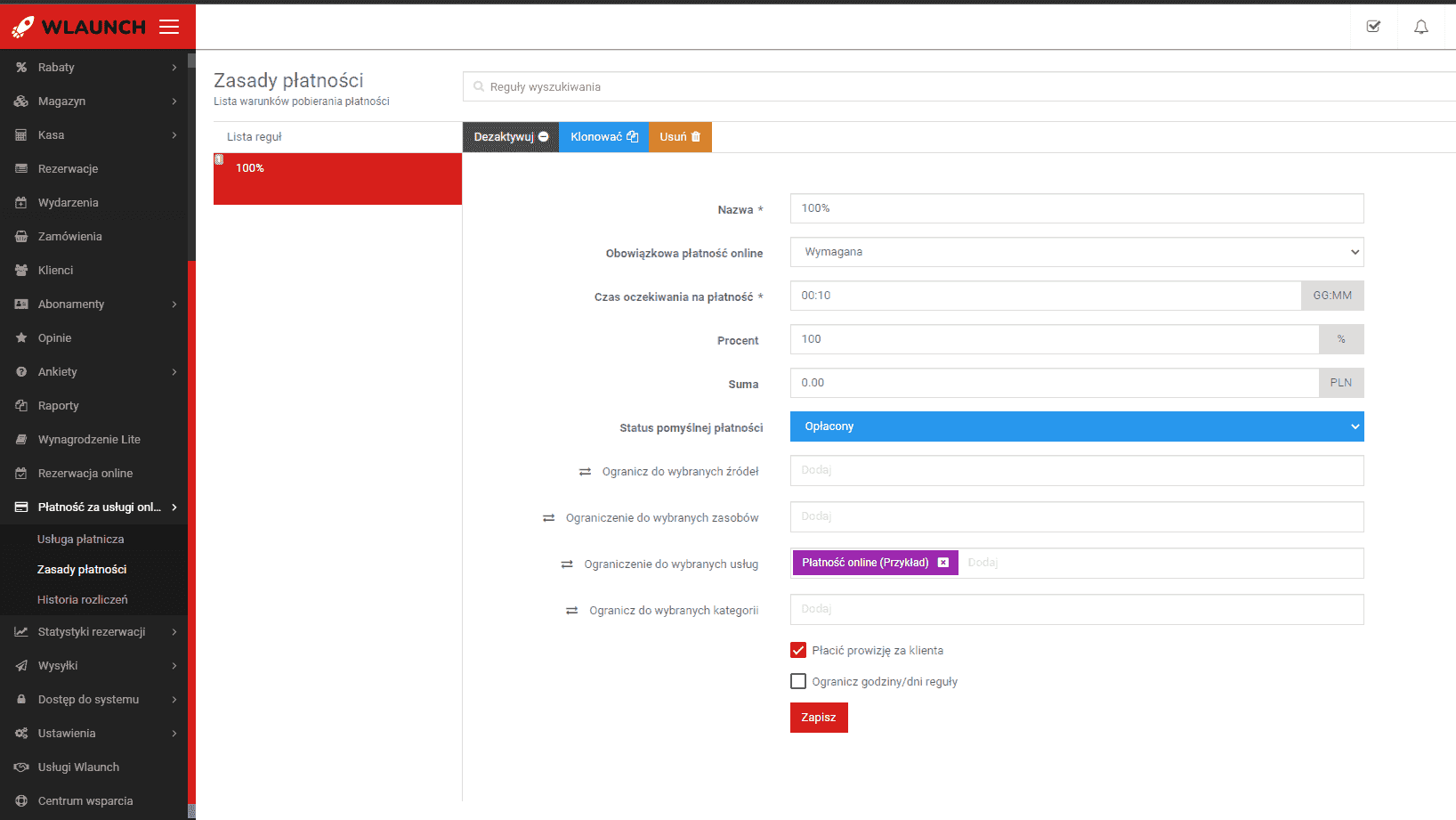
Membership payment
- Currently, membership payment is not regulated by rules; all payment attempts follow the optional 100% payment rule